






The Golden Rule: Never Enter PIN to Receive Money
This is the most critical rule to remember. You only need to enter your UPI PIN when you are sending money or checking your balance. You never need to enter your PIN to receive money. Scammers often create a sense of urgency, claiming you’ve won a prize
or are due a refund, and then send a payment request. Approving this request and entering your PIN actually sends money from your account. If anyone asks you to enter your PIN to get paid, it is a scam.
Master the 'Request Money' Feature
Fraudsters frequently exploit the 'Request Money' feature. They send a payment request and disguise it as a payment confirmation or a necessary step to receive funds. They might call you, pretending to be a buyer on an online marketplace, and guide you to 'approve' the transaction to receive their payment. Always read the message on your UPI app screen carefully. If it says 'Pay', you are sending money out. Decline all unexpected or suspicious payment requests from unknown contacts.
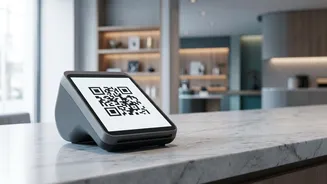
Think Before You Scan Any QR Code
Scanning a QR code is for making a payment, not receiving one. Scammers share counterfeit QR codes via WhatsApp or other platforms, promising cashback or payment for a product. When you scan it and enter your PIN, you are authorising a payment to the fraudster. Only scan QR codes at trusted physical stores or from verified online merchants. Never scan a QR code sent by an unknown person to 'receive' money.
Identify and Ignore Phishing Links
Phishing remains a popular method for fraudsters. They send deceptive emails or SMS messages that look like they're from your bank or a legitimate UPI app. These messages create panic, claiming your account is blocked or a payment is overdue, and contain a link. Clicking this link takes you to a fake website designed to steal your UPI PIN or other confidential details. Always verify the sender and avoid clicking on suspicious links. Legitimate banks will never ask for your PIN via a link.
Secure Your Phone and UPI App
Your smartphone is the key to your digital financial life. Always use a strong, unpredictable screen lock (PIN, pattern, or biometrics). Additionally, enable the app lock feature within your UPI application for an extra layer of security. Fraudsters also trick users into installing remote access or screen-sharing apps (like AnyDesk) by pretending to be customer support. Once installed, they can see your screen, view your PIN as you type it, and control your device. Never install such apps at the behest of an unknown caller.
Verify Before You Send
Before confirming any UPI transaction, always double-check the recipient's name that appears on the screen after you enter their UPI ID or phone number. A simple typo can send money to the wrong person. Scammers sometimes use UPI IDs that look very similar to legitimate ones, especially for fake charity drives or donations. Taking a few seconds to verify the name ensures your money goes to the intended recipient.
What to Do If You Get Scammed
If you suspect you've been a victim of UPI fraud, act immediately. First, report the fraudulent transaction within your UPI app and contact your bank to inform them. You should also report the incident on the National Cyber Crime Reporting Portal by calling the helpline number 1930 or visiting their website at cybercrime.gov.in. If your bank or UPI provider doesn't resolve the issue, you can file a complaint with the NPCI portal. Swift reporting increases the chances of recovering your funds.