






The Science of the Seated Spine
The human spine is not straight; it has a natural S-shaped curve that helps distribute weight and pressure evenly. When you sit, especially for long periods, it’s easy to disrupt this balance. Sitting in a slouched or hunched position flattens the natural inward
curve of your lower back (the lumbar spine). This posture can overstretch spinal ligaments and increase pressure on the spinal discs, leading to strain, fatigue, and eventually, chronic pain. The main reason for this postural shift is often an improperly adjusted chair. If your seat is too high or too low, it forces your pelvis to tilt in a way that misaligns the rest of your spine, putting constant stress on the muscles and structures that are trying to compensate.
The Goldilocks Zone: Finding the Right Height
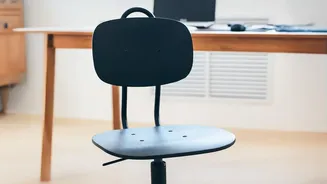
The fundamental rule of ergonomic seating is to achieve a neutral posture where your joints are naturally aligned. For your chair height, this means your feet should be flat on the floor, with your thighs roughly parallel to the ground. Your knees should be at or slightly below the level of your hips, forming a 90-degree angle. If your chair is too high, your feet may dangle, causing you to slide forward and lose back support. If it's too low, your knees will be higher than your hips, which can cause your pelvis to tilt backward and flatten your lumbar spine. The ideal chair height allows you to sit with your bottom against the back of the chair, maintaining contact with any lumbar support and preserving your spine's natural curve.
A Step-by-Step Guide to Perfect Chair Height
Finding your ideal chair height only takes a few moments. First, stand in front of your chair and adjust the seat until the highest point is just below your kneecap. Then, sit down and check your alignment using this simple checklist: 1. Feet Firmly Planted: Your feet should be flat on the floor. If they are not, you may need a footrest. 2. Knee and Hip Alignment: Ensure your hips are at the same level as or slightly higher than your knees. There should be a small gap, about two to three fingers' width, between the front edge of the seat and the back of your knees to ensure good circulation. 3. Armrest Position: Your armrests should be at a height that allows your elbows to bend at a 90 to 100-degree angle, with your shoulders relaxed. If they are too high, it will tense your shoulders; too low, and you may lean to one side.
When Your Desk Is the Problem
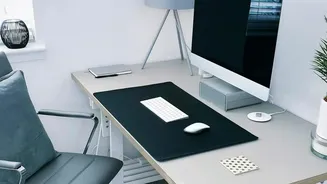
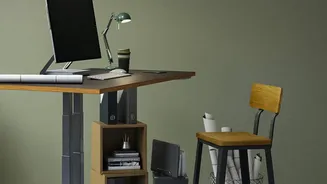
Sometimes, you might adjust your chair perfectly for your body, only to find you’re now at the wrong height for your desk. Many desks are a fixed height, which can cause issues. If you’ve raised your chair and now your shoulders are hunched up to reach the keyboard, your desk is too high. If you’ve lowered your chair and are now craning your neck to see the monitor, the setup is still wrong. In these cases, the solution is to adapt your workspace. If your desk is too high, raising your chair and using a footrest can solve the problem by keeping your feet flat and your legs at a proper angle. If your desk is too low, you can place risers under the desk legs. For laptops, always use a stand or books to bring the screen to eye level and use an external keyboard and mouse to maintain proper arm posture.
Beyond the Chair: Movement is Key
Even the most perfectly adjusted ergonomic chair isn't a cure-all for the problems caused by prolonged sitting. Your body is designed to move. Ergonomics experts recommend incorporating regular movement breaks into your day. Follow the 20-20-20 rule: every 20 minutes, look at something 20 feet away for 20 seconds to rest your eyes. Even better, use these moments to stand up, stretch, or walk around the room for a minute or two. These microbreaks help reduce muscle fatigue, improve circulation, and relieve the static load on your spine, which is a primary contributor to back pain.