

You’ve experienced it: a great photo on your phone looks sharp, but when you try to print it as a poster or zoom way in, it becomes a blurry, blocky mess. Why can't a picture just be made bigger without losing its quality?
It All Starts with Pixels
Every digital photograph, whether
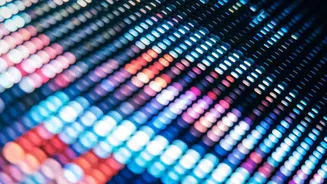
from your phone or a high-end camera, is a 'raster' image. Think of it as a giant mosaic made of tiny, solid-colored squares. These squares are called pixels. When you view a picture on a screen, you're looking at a grid of millions of these pixels, each displaying a specific color. From a distance, your brain blends them into a smooth, detailed image. But unlike a real-world object, the photo file contains a finite amount of information—only the color data for the pixels it was originally created with. There is no hidden detail to be discovered by zooming in.
The Problem with Making Things Up
When you enlarge a digital photo, you are asking the software to display it at a size larger than its original pixel grid. If a 100x100 pixel image is stretched to 200x200 pixels, the software has to fill four times as many screen positions with the original data. It has to invent the color for the new pixels it adds. This process is called 'interpolation', and it's essentially a guess. Your computer doesn't know it's looking at an eyelash or the brick pattern on a wall; it only sees a grid of colored squares and has to estimate what should go in the gaps.
How Your Computer 'Guesses' (And Why It Gets Blurry)
There are several ways software can guess what the new pixels should look like. The simplest method, 'nearest-neighbor', just copies the color of the closest original pixel, which results in a blocky, jagged look. More common methods like 'bilinear' and 'bicubic' interpolation are a bit smarter; they look at the surrounding 4 or 16 pixels, respectively, and calculate a weighted average color for the new pixel. This creates a smoother image but is also the direct cause of the softness and blurriness you see. Averaging colors naturally smooths out sharp edges and fine textures, which is why the enlarged image loses its crispness.
The Other Kind of Image: Vector Graphics
To understand why photos have this problem, it helps to know about the other type of digital image: a vector graphic. Unlike photos (raster images), vectors are not made of pixels. Instead, they are made of mathematical paths—lines, curves, and shapes defined by equations. Think of a company logo or a font. Because it’s based on a formula, a vector graphic can be scaled to any size, from a tiny icon to a giant billboard, without losing any quality. The computer simply recalculates the math for the new size, keeping every line perfectly sharp. Photographs, with their complex colors and textures, cannot be stored this way.
Can AI Save Your Blurry Photos?
For years, the blurriness of upscaling was an accepted limitation. Today, Artificial Intelligence is changing the game. AI-powered upscaling tools use a fundamentally different approach. Instead of simple mathematical averaging, these tools are trained on millions of pairs of low- and high-resolution images. This training allows the AI to recognize patterns—like the texture of fabric, the strands of hair, or the shape of letters—and make an intelligent prediction about what the missing details should look like. It's not recovering lost information, but rather creating new, plausible detail that is far more convincing than the blurry results of traditional interpolation.