

Staring at a laptop all day can feel like a workout for your eyes, leading to fatigue, dryness, and headaches. But finding a comfortable screen setup that makes text clear without excessive glare doesn't have to be a complicated technical chore.
Find Your Brightness Sweet Spot
The single
most important adjustment for eye comfort is matching your screen's brightness to the light in your room. A screen that is much brighter than your surroundings acts like a light source, forcing your eyes to constantly adjust and causing strain. Conversely, a screen that’s too dim makes you squint to read clear text. A simple way to check this is the 'paper test': open a white document and hold a piece of white paper next to your screen. The screen's brightness should be similar to the paper's. If your screen glows like a lamp, it's too bright. If it looks grey and dull, it's too dim. In a typical office, this often corresponds to a brightness level of 100-150 nits, or around 30-50% on a standard brightness slider.
Leverage Contrast for Clarity
Brightness gets all the attention, but contrast—the difference between the darkest blacks and lightest whites—is just as crucial for readability. High contrast makes text sharp and easy to distinguish from the background, reducing the effort your eyes need to put in. For most text-based work, a contrast setting of around 60-70% is a good starting point. If you find black text on a white background looks harsh or has a 'halo' effect, you might need to adjust the contrast before you change the brightness. The goal is crisp, clear text that doesn't feel abrasive to look at.
Use Dark Mode Strategically
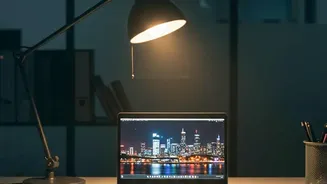
Dark mode, which uses light text on a dark background, has become a popular feature promising eye relief. Its main benefit is reducing overall screen glare, which is particularly helpful in low-light environments, like using your laptop at night. However, it isn't a universal solution for eye strain. For most people, traditional dark text on a light background (light mode) offers better reading performance in well-lit conditions because the bright background causes your pupils to constrict, creating a sharper focus. Some people, especially those with astigmatism, might find light text on a dark background appears blurrier. The best approach is to use dark mode when it feels more comfortable—typically in a dim room—and stick with light mode during the day.
Activate a Blue Light Filter in the Evening
Modern laptops and operating systems include builtin features like 'Night Shift' (macOS) or 'Night Light' (Windows). These functions reduce the amount of blue light your screen emits, giving it a warmer, more yellowish tint. While the science on blue lightfiltering glasses for reducing eye strain is weak, using a screen's night mode in the evening can be beneficial. The main advantage relates to sleep; exposure to blue light at night can disrupt your body's production of melatonin, the sleep hormone. Shifting to warmer screen tones in the hours before bed may help your natural sleep cycle and make looking at the screen feel more comfortable.
Don't Forget About Text Size
One of the simplest and most effective ways to improve readability is often overlooked: just make the text bigger. If you find yourself leaning in or squinting to read, you are putting unnecessary strain on your eyes and neck. Instead of moving closer to the screen, use your operating system's scaling options or the zoom function within applications to increase the font size until it's comfortably legible from a proper viewing distance—about an arm's length away.
Give Your Eyes a Break
Even a perfectly calibrated screen can't prevent eye strain if you stare at it for hours without a break. One of the most recommended practices is the 20-20-20 rule. Every 20 minutes, take a 20 second break to look at something at least 20 feet away. This simple exercise allows the focusing muscles in your eyes to relax. It's also important to remember to blink. When we concentrate on a screen, we tend to blink much less frequently, which can lead to dry, irritated eyes. Making a conscious effort to blink more often keeps your eyes moist and comfortable.