







Why You Should Monitor Your PF Account
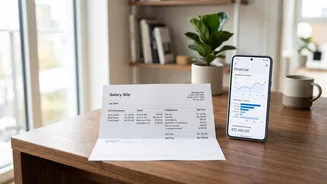
Seeing a deduction for Provident Fund (PF) on your salary slip is only half the story. The other, more important half is ensuring that amount, along with your employer's matching contribution, actually reaches your EPF account held by the Employees' Provident Fund Organisation
(EPFO). Employers are legally required to deposit these funds within 15 days of the close of each month. Regular monitoring helps you confirm compliance, aids in accurate financial planning, and allows you to spot any discrepancies early. Your EPF balance isn't just a number; it's your hard-earned money growing for your future, and keeping an eye on it is a fundamental step in managing your personal finances.
What You Need Before You Start
Before you can check your balance, you need a few things in place. The most important is your Universal Account Number (UAN), a unique 12-digit number that acts as the key to all your PF accounts. You must have your UAN activated on the EPFO's unified member portal. Additionally, your mobile number must be registered and linked to your UAN, as it is used for sending One-Time Passwords (OTPs) and other notifications. It is also highly recommended to complete your Know Your Customer (KYC) details by linking your Aadhaar, PAN, and bank account to your UAN. This not only ensures seamless service but is a prerequisite for some of the methods, like the missed call facility.
Method 1: The EPFO Member Portal
The most detailed way to check your contributions is through the official EPFO Member Passbook portal. This method provides a complete statement of your account. First, visit the official EPFO Member Passbook website. You will be prompted to log in using your activated UAN, your password, and a captcha for security. Once logged in, you will see a list of Member IDs associated with your UAN, corresponding to your different employers. Select the Member ID for your current employer to view the associated passbook. The passbook will display a month-by-month breakdown of contributions from both you and your employer, as well as any interest credited. You can compare these entries directly with your salary slips to ensure everything is in order. The portal also allows you to download the passbook as a PDF for your records.
Method 2: The UMANG App
For those who prefer managing their finances on the go, the UMANG (Unified Mobile Application for New-age Governance) app is an excellent tool. This government app consolidates various services, including those from the EPFO. To use it, download the app from the Google Play Store or Apple App Store and register using your mobile number. Inside the app, navigate to the EPFO section and select 'View Passbook'. You will need to enter your UAN and will receive an OTP on your registered mobile number for verification. After successful verification, you can select your Member ID and view your passbook, check your balance, and track contributions just as you would on the web portal.
Method 3: SMS Service
If you don't have internet access or prefer a simpler method, the EPFO offers an SMS service. This facility works from any mobile phone, not just smartphones. To use it, you need to send an SMS from your UAN-registered mobile number to 7738299899. The message format is 'EPFOHO UAN'. For example, if your UAN is 123456789012, you would send 'EPFOHO 123456789012'. By default, the reply will be in English. However, the service is available in ten languages. To receive the information in a different language, add the first three letters of the language code after your UAN (e.g., 'EPFOHO UAN HIN' for Hindi). You will receive an SMS with your latest PF balance and contribution details.
Method 4: Missed Call Facility
Perhaps the quickest method of all is the missed call service. This requires no internet and is completely free of charge. Simply place a missed call from your registered mobile number to 9966044425. The call will automatically disconnect after a couple of rings. Shortly after, you will receive an SMS containing details of your PF balance and the last contribution made to your account. For this service to work, your UAN must be activated and linked with your PAN, Aadhaar, or bank account details.
What to Do If Deposits are Missing
If you check your passbook and find that your employer's contributions are missing or delayed, the first step is to contact your company's HR or payroll department for clarification. Sometimes, a delay in updating the records can be the cause. However, if the issue is not resolved, you should not ignore it. You have the right to file a grievance directly with the EPFO. This can be done online through the EPF i-Grievance Management System (EPFiGMS). You will need to provide your UAN and upload supporting documents like salary slips to register the complaint. Failure by an employer to deposit PF contributions is a serious offence with legal consequences.