






Embrace UPI Lite for Small Spends
Your daily chai, samosa, or bus ticket adds up. Instead of cluttering your main bank statement with dozens of small entries, use UPI Lite. [3] It’s on-device wallet within your main UPI app where you can load a small amount (e.g., ₹500 or ₹1000) for your daily micro-transactions.
[3, 4, 6] Payments are faster as they don't require a PIN for small amounts, and it keeps your primary bank statement clean, showing only the occasional wallet 'load' transaction. [3, 7] This makes it much easier to review your core income and expenses without getting lost in the noise of tiny spends. [3]
Master the 'Split Bill' Feature
Group outings for movies, meals, or trips are a huge part of student life, and so is the awkwardness of settling costs. Instead of one person paying and then chasing friends for their share, use the built-in 'Split Bill' or 'Split Expense' feature in apps like Google Pay and Paytm. [27] This function allows you to divide the total cost and send payment requests to everyone in the group instantly. [24, 27] It formalises the process, reduces follow-ups, and ensures everyone pays their share on time, preventing financial friction among friends. [29]
Schedule a Weekly 'UPI Review'
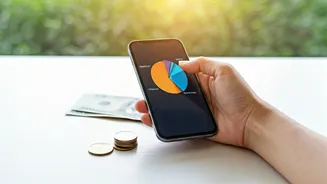
The frictionless nature of UPI makes it incredibly easy to lose track of where your money is going. [21, 22] Set a recurring appointment in your calendar—say, every Sunday night—to review your UPI transaction history for the past week. [26] Most UPI apps offer detailed payment histories, and some even auto-categorise your spends. [2, 5] This 15-minute ritual helps you see exactly where you’re overspending (was it too many food delivery orders?) and allows you to adjust your budget for the week ahead. [26] Awareness is the first step to control.
Use a Dedicated 'Spending' Account
Never link your primary savings or allowance account directly to your everyday UPI app. [25] A smarter strategy is to have a secondary, zero-balance account specifically for your monthly variable expenses. [25] At the start of each month, transfer your allocated ‘wants’ budget (for food, entertainment, shopping) into this account. [21, 25] Link your GPay or PhonePe to this account only. When the balance runs low, you have a hard stop—you’ve exhausted your fun money for the month. This simple trick builds a powerful boundary against impulse spending. [18]
Be Wary of the Cashback Trap
Cashback offers and scratch cards feel like free money, but they are marketing tools designed to encourage spending. [18, 31] Often, these rewards aren't direct cash but vouchers or points that expire or require you to spend more on specific platforms. [28] Before making a purchase just to earn a small cashback, ask yourself if you truly need the item. [28, 34] A ₹20 reward on an unnecessary ₹500 purchase is not a saving; it's a ₹480 loss. Prioritise your budget over chasing minor rewards. [21]
Automate Expense Tracking
If manually reviewing transactions feels like a chore, let technology do it for you. Several third-party apps in India are designed to automatically track expenses by reading your bank and UPI transaction SMS alerts (with your permission, of course). [11, 23] Apps like FinArt, Axio (formerly Walnut), and Trakio can consolidate your spending from GPay, PhonePe, and bank accounts, categorise them, and present you with a clear picture of your financial habits without any manual data entry. [11, 12, 17, 20] This gives you the insights of a detailed budget without the hard work.