




The Magic of AI Photo Restoration
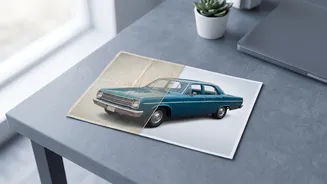
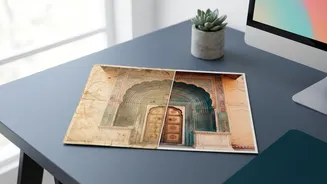
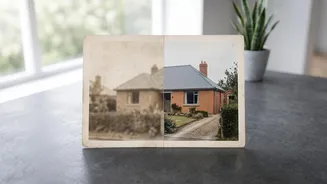
For decades, fixing a damaged photograph required a skilled professional and hours of meticulous work in software like Photoshop. This made it an expensive and time-consuming process. Today, artificial intelligence has completely changed the game. AI
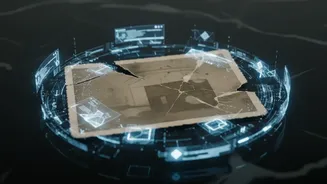
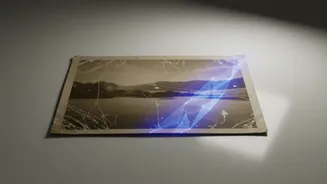
photo restoration tools use machine learning models trained on millions of images. They can analyze a scanned photo, identify damage like creases, tears, and stains, and intelligently reconstruct the missing or damaged parts. This process, which once took days, can now be accomplished in seconds, often directly in your web browser or on your phone. These tools democratize photo restoration, making it accessible to anyone, regardless of their technical skill.
Top Tools for Repairing Damaged Photos
Several powerful options have emerged, each with unique strengths. Remini is one of the most popular mobile apps, known for its incredible ability to restore facial details in old, blurry portraits. With a single tap, it can bring a faded face back to life, though sometimes it can make skin look overly smooth. For those who want more control, desktop applications like Topaz Photo AI are considered a professional standard, offering precise adjustments for noise, sharpening, and scratch removal. Other accessible web-based tools include Adobe Firefly, Canva, and VanceAI, which can handle a range of damage from minor scratches to significant tears and colour fading. Many of these services offer free trials or a limited number of free edits, allowing you to test them on your own photos.
Upscaling: Breathing New Life into Low-Resolution Images
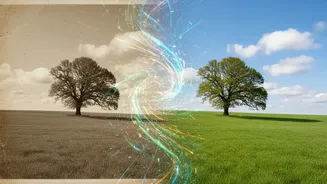
Beyond just repairs, AI is also exceptional at upscaling, or increasing the resolution of an image without making it blurry or pixelated. Have an old photo from an early digital camera that’s too small to print? AI upscalers can enlarge it by 2x, 4x, or even more while adding realistic detail. Instead of just stretching the pixels, the AI analyzes the image and intelligently generates new details that look natural. This is a game-changer for creators who need to use older assets or for anyone wanting to print a cherished but low-quality digital photo. Tools like Adobe Firefly, Pixelcut, and Upscayl offer powerful and often free upscaling capabilities, turning small, unusable images into crisp, high-resolution visuals.
How to Get the Best Results
While these tools are largely automatic, a few steps can ensure you get the best possible outcome. First, start with the highest quality scan of your physical photograph that you can manage. A higher resolution scan gives the AI more data to work with. When using the tools, experiment with the settings. Some platforms, like Topaz Photo AI, allow you to fine-tune the intensity of the sharpening or face recovery. This can help you avoid the overly artificial or "plastic" look that some automated enhancers produce. For severely damaged photos, you might need to use more than one tool—one for scratch removal and another for colourisation or upscaling. Don’t be afraid to try a few different services to see which one works best for your specific photo.
A Note on Authenticity and Limitations
As powerful as these tools are, it's important to remember their limitations. AI is making its best guess when reconstructing a missing piece of a photograph. In cases of extreme damage, especially to faces, the AI might invent details that weren't in the original. It’s always a good practice to keep the original scan as a record of the authentic image. While professionals still offer the highest level of accuracy for priceless heirlooms, AI provides a fantastic and accessible way for everyone to rescue and relive the moments captured in their family archives. The technology is constantly improving, making it easier than ever to ensure that our visual history is not lost to time.