






First, Master Your Tech
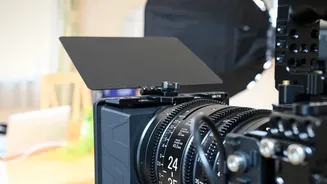
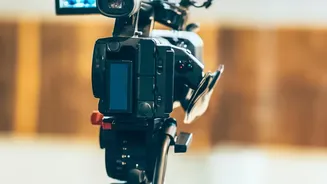
Confidence on camera begins before you even say a word. It starts with a setup that allows you to forget the technology and focus on your message. First, tackle lighting. Natural light is your best friend, so try to position yourself facing a window.
If that’s not an option, a simple lamp or ring light placed behind your camera and facing you will eliminate unflattering shadows. Next, consider your camera angle. Your laptop camera often looks up at you from an unflattering angle. Prop your laptop up on a stack of books or use an external webcam to ensure the lens is at or slightly above eye level. Finally, ensure your audio is clear. Use a headset or an external microphone to minimise background noise, and always do a quick test run to check your audio and video before the meeting starts. A clutter-free, professional background also ensures the focus remains on you.
Project Confidence with Body Language
In a virtual meeting, your body language speaks volumes. Since the view is limited, every gesture and expression is magnified. Sit up straight, as good posture projects confidence and capability. Imagine a string pulling you up from the top of your head. Keep your shoulders relaxed and down, away from your ears. The most crucial element is eye contact. It feels unnatural, but you should look directly into the camera lens when you speak, not at the faces on your screen. This simulates direct eye contact for the other participants and creates a stronger connection. To show you are engaged while others are speaking, use non-verbal cues like nodding and smiling. These small actions confirm that you are actively listening and present in the conversation.
Sharpen Your Verbal Communication
With the risk of audio lags and interruptions, clear and concise communication is critical. Speak slightly slower than you would in person and be deliberate with your words. Pause before you speak to gather your thoughts and take a deep breath; this can calm your nerves and make you sound more grounded. Don't be afraid to use short pauses to let your points land. When listening, practice active listening by occasionally using phrases like, "That's a great point," or, "I understand," to show you're engaged. To avoid talking over others, use the 'raise hand' feature if the platform has one, or wait for a natural pause in the conversation. Always get into the habit of muting yourself when you are not speaking to prevent distracting background noises from disrupting the meeting.
Keep Your Audience Engaged
A video call shouldn't be a monologue. The key to being memorable is making the meeting a two-way conversation. If you are leading the call, make an effort to include engagement opportunities frequently. Address people by name when asking questions to draw them into the discussion and make them feel seen. Instead of just presenting information, ask for input, opinions, and feedback. If you're sharing your screen for a long presentation, consider stopping every few minutes to come back to the main camera view to reconnect with your audience directly. This small change in visuals helps recapture wandering attention. The goal is to shift your focus from 'performing' on camera to genuinely connecting with the people on the other side of the screen.
Preparation Breeds Confidence
Much of the anxiety around video calls comes from a fear of the unknown. The best way to combat this is with thorough preparation. Always review the agenda beforehand, or create one if you are the host. Jotting down a few key talking points can serve as a safety net, giving you the confidence that you won't forget what you want to say. It is also wise to dress in a way that makes you feel professional and confident, even if it's just from the waist up. What you wear can significantly impact your mindset. Finally, take a moment just before the call starts to take a few deep breaths. This simple action signals to your brain that you are in a calm, controlled situation, allowing you to start the call feeling centered and ready, rather than rushed and flustered.