




Prepare Your Digital Stage
Your first impression is a technical one. Before the interview, ensure your digital setup is flawless, as this is the first and most basic way to demonstrate tech-savviness. Start by testing your hardware at least a day in advance. Most video platforms
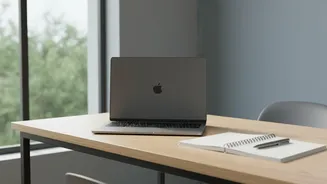
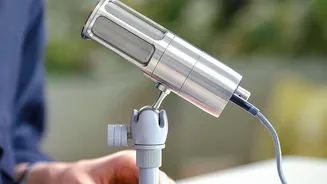
like Zoom or Google Meet have a test function to check your camera and microphone. Using headphones with a built-in mic will provide much clearer audio than your laptop's default. Position your camera at eye level to simulate direct eye contact; you can use a stack of books to raise your laptop. Also, pay attention to lighting. Natural light from a window in front of you is best, as light from behind can cast you in shadow. Finally, choose a clean, neutral, and uncluttered background. A tidy space or a simple blurred background shows professionalism and minimizes distractions for the interviewer.
Rehearse to Build Real Confidence
Confidence isn't something you simply decide to have; it's a result of thorough preparation. Start by researching the company and the role, and prepare examples of your experience using the STAR (Situation, Task, Action, Result) method to structure your answers. Practice answering common interview questions out loud. You can even record yourself to check your speaking pace, tone, and body language. A great way to get comfortable is to do a mock interview with a friend or family member. This helps you work out any awkwardness and get real-time feedback. Also, prepare a few insightful questions to ask the interviewer. This shows you are genuinely interested and have thought critically about the opportunity, which is a powerful display of confidence.
Commanding the Virtual Room
With the camera on, non-verbal cues become even more important. Sit up straight, as slouching can be interpreted as disinterest or laziness. Leaning slightly forward shows you are engaged. While it feels unnatural, try to look directly at the camera when you speak, not at the interviewer's face on the screen. This creates the feeling of direct eye contact for the person on the other end. Use simple gestures to appear natural, but avoid excessive fidgeting, like tapping a pen or playing with your hair, which signals nervousness. Remember to nod to show you are listening and smile to convey enthusiasm. Your body language can communicate confidence and authenticity just as much as your words.
Demonstrate Your Tech Prowess
For roles where technical skills are key, a video call is your chance to show, not just tell. Be prepared to share your screen to walk the interviewer through a project, a piece of code, or a portfolio. When doing so, narrate your thought process clearly. Explain why you made certain decisions and how you overcame challenges. This demonstrates not only your technical ability but also your problem-solving and communication skills. If you have a personal website, a GitHub profile, or a digital portfolio, have the links ready to share in the chat. Before the call, ensure any platform or tool you might need to use is updated and that you are logged in. A seamless technical demonstration is a powerful testament to your capabilities.
Engage Beyond the Script
A video interview should be a conversation, not an interrogation. Show you are actively listening by referring back to something the interviewer mentioned earlier. Use their name occasionally to build rapport. While you should have your key points prepared, avoid sounding like you are reading from a script. Let your personality come through; employers want to hire a person, not just a set of qualifications. At the end of the interview, when you ask your prepared questions, listen carefully to the answers and engage with them. A thoughtful follow-up question shows you are processing the information and are truly invested. Finally, always send a follow-up thank-you email within 24 hours to reiterate your interest and professionalism.