







The Anatomy of a Customer Support Scam
The scam begins with a problem—sometimes real, sometimes manufactured. Perhaps you searched online for a customer care number for an e-commerce site or your bank and found a fake number planted by a scammer. Or maybe you receive an unsolicited call from
someone claiming your KYC needs updating, a recent transaction failed, or your account will be blocked. The caller sounds professional and convincing. They pretend to be a representative from a bank, a payment app like PhonePe or Google Pay, or another trusted company. Their goal is to build trust and create a sense of urgency. Once they have you on the line, they will guide you through a series of steps to “fix” the issue, which almost always culminates in them asking for your UPI PIN or tricking you into authorising a payment.
Why Your UPI PIN is the Golden Key
Your UPI PIN is a 4 or 6-digit number that authorises every payment you make. It functions exactly like an ATM PIN for your digital transactions. Without it, money cannot leave your account via UPI. Scammers know this, which is why their entire effort is focused on getting you to enter it. The most crucial rule of UPI safety is this: you only need to enter your PIN when you are sending money. You never, under any circumstances, need to enter your PIN to receive money, a refund, or a cashback offer. Anyone who tells you otherwise is trying to scam you. Sharing your PIN gives a fraudster the final key they need to drain your funds.
Common Tricks and Red Flags
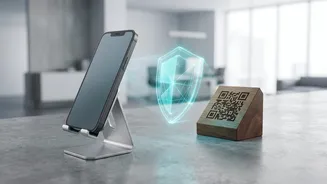
Fraudsters use several deceptive tactics. They might send you a “collect request” on your UPI app, claiming you need to approve it and enter your PIN to receive a refund. Approving it does the opposite—it sends money from your account to theirs. Another common trick involves asking you to scan a QR code to receive payment; again, scanning a QR code and entering your PIN is exclusively for making payments, not receiving them. Some scammers will ask you to install screen-sharing apps like AnyDesk or TeamViewer, allowing them to see everything on your phone, including your PIN as you type it. Be wary of any call that creates extreme urgency, asks you to install an app, or pressures you to act immediately. Remember, legitimate banks and UPI platforms will never call you to ask for your PIN or OTP.
How to Protect Yourself
Protecting your money starts with vigilance. First, never share your UPI PIN or any OTP with anyone, no matter who they claim to be. If you need to contact customer support, only use the official numbers and chat options listed within the app itself or on the company's official website. Avoid grabbing phone numbers from search engine results, as these can be fraudulent. Always be suspicious of unsolicited calls or messages about your account. Before authorising any UPI transaction, double-check the recipient's name and the amount displayed on your screen. Enable transaction alerts and regularly review your bank statements for any unauthorised activity. Using a different PIN for your mobile lock and your UPI app adds another layer of security.
What to Do If You Have Been Scammed
If you suspect you have fallen victim to a UPI fraud, time is critical. The first step is to immediately call the national cybercrime helpline at 1930. Next, contact your bank to report the fraudulent transaction and request that they block your account or UPI services. You should also report the incident within the UPI app you used and file a formal complaint on the National Cyber Crime Reporting Portal (cybercrime.gov.in). If the issue isn't resolved by your bank within 30 days, you can escalate the complaint to the Banking Ombudsman. Preserve all evidence, including transaction details, screenshots of messages, and the fraudster's phone number, as this will be required for the police complaint.