





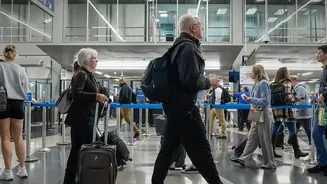
Preparing for a trip to India involves more than just booking tickets and packing bags. A crucial, mandatory step for all international arrivals is completing the Air Suvidha Self-Declaration Form, a requirement that has been reinstated in 2026.
An Essential Step for All Travellers
First,
let's clear up any confusion: the Air Suvidha form is once again a mandatory requirement for every single passenger arriving in India by air. This rule applies universally, whether you are an Indian citizen returning home, an Overseas Citizen of India (OCI) cardholder, or a foreign national visiting for tourism or business. The Bureau of Immigration has emphasized that this is not an optional step. Originally introduced during the COVID-19 pandemic and discontinued in November 2022, the form has been relaunched as 'Air Suvidha 2.0' to aid in public health surveillance.
Why the Form is Mandatory Again
The reason for the form's reinstatement is not related to COVID-19. In May 2026, the World Health Organization declared the Ebola virus outbreak a Public Health Emergency of International Concern. In response, the Indian government reintroduced the Air Suvidha portal to screen international passengers for potential exposure. The form collects travel history and health information to help authorities at airports identify travellers who might require further medical assessment upon arrival, ensuring a streamlined and safe entry process for everyone. It is a precautionary public health measure designed to keep India's entry points secure.
How and When to Complete the Form
The process is entirely digital and must be completed before you begin your journey. The form should be submitted online within 24 hours of your scheduled arrival in India. The only official government portal to use is https://airsuvidha.civilaviation.gov.in. Be cautious of third-party websites that look similar but charge a fee; the official Air Suvidha form is completely free to submit. To avoid any last-minute stress or issues with airport Wi-Fi, it is highly recommended to fill out and submit the declaration before you leave for the airport.
Information You Will Need to Provide
To ensure a quick and smooth submission, have your documents and information ready. The form will ask for several key details, including personal and passport information, your flight number, and your first airport of entry in India. A critical section is your travel history, where you must declare all countries you have visited in the 21 days prior to your arrival. You will also need to provide your full address of stay in India and a valid mobile number and email address, which will be verified with a One-Time Password (OTP). Finally, you will answer a few health_related questions, particularly concerning symptoms or potential exposure related to Ebola.
After You Submit the Form
Once you have accurately filled in all the details and submitted the form, you will receive an acknowledgement. You should download this confirmation and keep a digital or printed copy accessible on your phone or with your travel documents. Upon arrival in India, you may be asked to show this acknowledgement at the International Travel Health Desk before proceeding to immigration. Having this document ready will help prevent delays and ensure you move through airport formalities as smoothly as possible. Travellers who arrive without having completed the form should expect to be directed to the health desk by airport staff, which could result in a longer clearance process.
Air Suvidha vs. Other Arrival Forms
It is important not to confuse the Air Suvidha form with other travel documents. The Air Suvidha declaration is a mandatory health screening form for all passengers. Some travellers, specifically foreign nationals, may also be required to fill out a separate eArrival Card. The eArrival Card is a digital replacement for the paper disembarkation form previously used at immigration and is meant to streamline the immigration process itself, whereas Air Suvidha is purely for health surveillance. Check the latest requirements for your nationality to see if you need to complete both.