



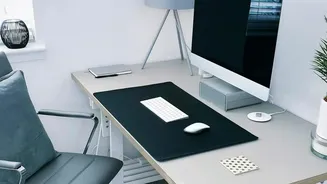

The Foundation: Start With Your Chair
Before you even think about your monitor, your first adjustment should always be your chair. It's the foundation of your posture for the entire day. The goal is to create a stable, supportive base that allows your spine to maintain its natural 'S' curve.
Start by adjusting the seat height until your feet are flat on the floor, with your knees bent at roughly a 90-degree angle. If your desk is high and your feet are left dangling, use a footrest or a sturdy stack of books to bring the floor up to you. Once your height is set, ensure there are about two to three fingers of space between the edge of the seat and the back of your knees to promote good circulation. Finally, adjust the backrest so the lumbar support fits snugly into the natural curve of your lower back. This prevents you from slouching and putting pressure on your spinal discs.
Why Proper Seating is Non-Negotiable
Ignoring your chair setup is a recipe for chronic pain. When your chair provides inadequate support, your muscles are forced to overcompensate, leading to fatigue and strain. Poor lumbar support is a direct cause of lower back pain because it allows your spine to slump, compressing the discs and straining the surrounding muscles and ligaments. Sitting for long hours with your feet dangling or without proper support can also hinder blood circulation, which can lead to swelling and discomfort. Even your armrests play a role; they should be set so your elbows are at a 90-degree angle, allowing your shoulders to relax. If they are too high, you'll hunch your shoulders, creating tension in your neck and upper back.
Aligning Your Gaze: The Role of Screen Height
Once your body is properly supported by your chair, it's time to address your screen. Your monitor's height directly controls the posture of your neck and head. Your head is surprisingly heavy, weighing around 5 kilograms, and when you crane your neck forward or tilt your head back to see the screen, your neck muscles are put under constant strain to hold it up. This leads to the all-too-common "tech neck," characterized by stiffness and pain in the neck and shoulders. A screen that is too low forces you to hunch forward, rounding your back and putting pressure on your spine. Conversely, a monitor that is too high causes you to tilt your head backward, compressing the vertebrae in your neck. Both positions can lead to muscle fatigue, headaches, and long-term musculoskeletal issues.
How to Find Your Perfect Screen Level
Finding the right screen height is simple. While sitting upright in your properly adjusted chair, the top edge of your monitor's screen should be at or just slightly below your eye level. This position allows you to look straight ahead with a neutral neck posture, and your eyes should naturally hit the top third of the screen. The screen should also be about an arm's length away to prevent eye strain and the tendency to lean forward. If you work on a laptop, you are almost guaranteed to be looking down. The best solution is to place the laptop on a stand or a stack of books to raise its screen to eye level and use a separate, external keyboard and mouse. This small change decouples your screen from your keyboard, allowing you to position both for optimal health and comfort.