
The Old Way vs. The New Way
Traditionally, creating a realistic environmental backdrop for a film, video game, or concept art was a marathon, not a sprint. It involved a blend of digital matte painting, 3D modeling, and compositing—highly skilled work that could take days or even
weeks for a single shot. Artists would spend hours searching for reference images, painstakingly painting details, and refining lighting. The process was not only time-consuming but also limited by budget and deadlines, often forcing compromises on creative vision. Enter generative AI. These powerful new tools act as a creative co-pilot, collapsing that lengthy process into minutes. An artist can now type a descriptive text prompt and receive multiple high-quality visual options almost instantly. This doesn't eliminate the artist; it empowers them. The focus shifts from manual labour to creative direction, allowing for rapid ideation and iteration at a scale that was previously unimaginable.
Understanding the Core Technology
So, how does it work? At the heart of these tools are diffusion models. Think of it like this: the AI has been trained on a massive library of images and their corresponding text descriptions. It learns the relationship between words like "misty," "forest," "dawn," and "cinematic" and the pixels that form those images. When you provide a prompt, the AI starts with a field of random noise and, step by step, refines it until it matches your description. It 'imagines' the image into existence based on the patterns it has learned. The result is a completely unique image that has never existed before, tailored to your specific instructions. This process is what allows for the incredible speed and flexibility that is transforming creative workflows.
Top Tools for the Job
The market for generative AI image tools is growing fast, but a few key players have emerged as industry favourites for this kind of work.
- Midjourney: Often praised for its artistic and stylized output, Midjourney is fantastic for creating moody, atmospheric, and highly detailed environments. It operates primarily through the chat app Discord, giving it a unique, community-focused feel. Its results often have a painterly, cinematic quality right out of the box.
- Stable Diffusion: As an open-source model, Stable Diffusion offers unparalleled control and customisation. You can run it on your own hardware and train it with custom datasets, making it a powerful choice for studios wanting to develop a specific, consistent visual style. It’s the tinkerer’s choice, offering deep control over the final image.
- DALL-E 3: Developed by OpenAI and integrated into ChatGPT Plus, DALL-E 3 excels at understanding and adhering to complex, conversational prompts. It's particularly good at producing coherent scenes with specific objects and characters, making it a strong all-around choice.
Crafting the Perfect Prompt
The quality of your output depends almost entirely on the quality of your input. This is the art of 'prompt engineering.' Simply typing "fantasy castle" will give you a generic result. To get a professional-grade backdrop, you need to be specific. Think like a director of photography.
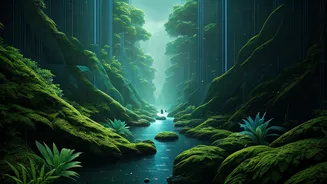
Describe the mood, lighting, and composition. For example, instead of "forest," try: "Vast, ancient redwood forest, volumetric morning light filtering through the canopy, misty ground, cinematic wide shot, photorealistic, 8K detail." Include keywords related to camera lenses (e.g., "35mm lens"), film stock, and artistic style ("in the style of Hudson River School painting"). The more detail you provide, the closer the AI can get to your vision on the first try. Experimentation is key; tweak your prompts and see how the AI responds to different keywords.
From Generation to Final Polish
It's important to have realistic expectations. While the headline says "instantly," the reality is that the AI-generated image is often a powerful starting point, not the finished product. Professionals rarely use the raw output. Instead, they treat it as a high-quality base layer for further work. This might involve taking the generated image into software like Adobe Photoshop to correct small artifacts, adjust colours, or composite different elements together. An artist might generate a mountain range in one prompt and a foreground in another, then skillfully blend them. The AI handles the heavy lifting of initial creation, freeing up the artist to focus on refinement, composition, and storytelling.