







Why Static Forecasts Aren't Enough
We’ve all been there. The weather app promises 'light showers,' but an hour later you’re caught in a torrential downpour that feels like the sky is ending. Standard forecasts are excellent for predicting the general weather over a day or a region. However,
the monsoon is notoriously fickle. It’s a dynamic system of localised, intense rain bands that can develop and move quickly. For a traveller, especially on winding coastal or ghat roads, knowing what’s happening in the next 30-60 minutes is far more valuable than knowing the outlook for the entire day. This is where live cloud tracking comes in. By observing real-time satellite and radar imagery, you can anticipate the exact timing, intensity, and path of an approaching rain spell, allowing you to decide whether to push on, pull over for a chai, or take an alternate route.
Your Monsoon Tech Toolkit
Mastering the monsoon sky starts with having the right tools. These apps and websites provide the live data you need to make informed decisions. It’s wise to have a couple of them on your phone, as they sometimes use different data sources. * **IMD’s MAUSAM App & Website:** The official source. The India Meteorological Department offers detailed satellite and radar imagery. The radar section, with its colour-coded rainfall intensity view, is particularly useful for tracking active storm cells. It’s reliable, direct-from-the-source data, though the user interface can sometimes feel less polished than commercial apps. * **Windy.com:** A favourite among pilots, sailors, and storm chasers for a reason. Its interface is brilliant, allowing you to overlay different data layers like rain, wind, and clouds. The 'Radar & Satellite' tab lets you see an animated loop of cloud movement over the past few hours, which is the key to predicting where rain is headed. * **RainViewer:** This app specialises in one thing and does it exceptionally well: weather radar. It consolidates radar data from sources around the world into a single, seamless map. You can see rain approaching in near real-time and set up alerts for your specific location.
How to Read the Digital Sky
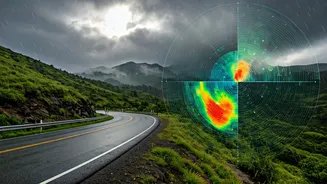
Having the tools is one thing; knowing how to interpret them is another. When you open a satellite or radar map, here’s what to look for: 1. **Colour is Key:** On radar maps, colour indicates rainfall intensity. Greens and blues typically signify light to moderate rain. As colours shift to yellow, orange, and red, you’re looking at heavy to very heavy rainfall, often accompanied by strong winds. A patch of deep red moving toward your route is a clear signal to take a break. 2. **Track the Movement:** Don't just look at the static image. Use the animation or loop feature to see the cloud system's movement over the last 1-3 hours. This reveals its direction and speed. If a large rain band has been steadily moving eastwards, you can reasonably predict it will continue on that trajectory for the immediate future. 3. **Density and Definition:** Fluffy, scattered clouds (often appearing greyish-white on satellite views) might lead to a drizzle. But dense, bright white clusters signify towering cumulonimbus clouds packed with moisture, indicating a high probability of a heavy downpour.
Putting It All into Practice
Let’s imagine you're planning a drive from Mangalore to Gokarna. Before you leave, open Windy.com. Check the satellite loop for the past hour. You see a dense, yellow-orange cluster of clouds over the Arabian Sea, moving northeast towards your planned coastal route. Your static forecast might just say 'thundershowers likely.' But your real-time data tells you that a significant rain event is likely to hit the highway in about 90 minutes. With this information, you can decide to leave immediately to get ahead of it, or wait two hours for it to pass while you enjoy a leisurely breakfast. This is proactive, dynamic travel planning. It transforms you from a passive victim of the weather into an active, informed navigator of your journey. It’s the difference between being stuck in a jam on a waterlogged road and sipping coffee while watching the storm from a dry cafe.
Beyond the Clouds: Final Checks
Live cloud tracking is a powerful skill, but it should be part of a broader safety checklist. Always supplement your weather insights with practical checks. Use Google Maps with the traffic layer enabled to spot road closures or jams caused by weather. Check local news or social media groups for updates on landslides, which are a serious risk in ghat sections like those in the Western Ghats. Ensure your vehicle is monsoon-ready with good tyres, working wipers, and clear headlights. Technology empowers you, but common sense keeps you safe.