






The Anatomy of a Refund Delay
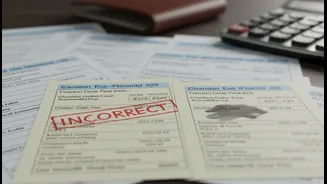
When you pay taxes, whether it's advance tax, self-assessment tax, or a payment against a specific demand, you do so using a form called a challan. The most common one for income tax is ITNS 280. This challan is a receipt that contains critical data:
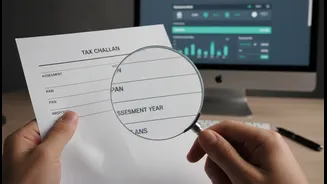
your PAN, the Assessment Year (AY) you are paying for, and the type of tax paid. For a refund to be processed smoothly, the details on this challan must perfectly match the information in your Income Tax Return (ITR). When they don't, the system flags a mismatch, your paid tax isn't credited correctly, and your refund is put on hold, often leading to an outstanding tax demand notice instead.
Common and Costly Challan Errors
A tiny slip-up while filling the challan is all it takes to cause a major headache. The most frequent errors taxpayers make are surprisingly basic. Selecting the wrong Assessment Year is a classic blunder; for instance, paying tax for AY 2025-26 but accidentally selecting 2024-25. Another common issue is choosing the incorrect type of payment, such as marking a payment as 'Advance Tax' (Minor Head 100) when it was actually 'Self-Assessment Tax' (Minor Head 300). Other mistakes include entering an incorrect PAN, which directs the payment to the wrong person's account, or errors in the Major Head (distinguishing between tax for a company versus a non-company). These discrepancies ensure the tax you paid doesn't appear correctly in your Form 26AS or Annual Information Statement (AIS) for the intended year, stalling any refund you were expecting.
The New Online Correction Window
Fortunately, the Income Tax Department has streamlined the correction process. For many recent errors, you no longer need to visit the tax office. The e-filing portal now has a 'Challan Correction' feature under the 'Services' tab. This allows you to fix mistakes in challans for Assessment Year 2020-21 onwards. However, there are strict timelines. A correction for the Assessment Year must be requested within 7 days of the challan deposit date. For changes to the Major Head (tax applicability) or Minor Head (type of payment), you have a 30-day window. This online option is only available for challans that have not yet been used or 'consumed' in an ITR processing. You can only make an online correction once per challan.
How to Correct Your Challan: A Step-by-Step Guide
If you've made a mistake, here’s how to fix it. First, identify the error by downloading the challan from the 'Payment History' section of the e-filing portal. If you are within the time limits (7 days for AY, 30 for tax type), log in to the portal, navigate to 'Services' > 'Challan Correction', and create a request. You will need to enter the Challan Identification Number (CIN) to select the challan you wish to correct. Update the incorrect fields, verify the changes, and e-verify the request using an Aadhaar OTP or Digital Signature Certificate (DSC). The status can be tracked on the portal, and it typically takes 7 to 20 days for the correction to reflect. If you've missed the online window or need to make a second correction, the old method still applies: you must approach your jurisdictional Assessing Officer (AO).
When You Must Visit the Assessing Officer
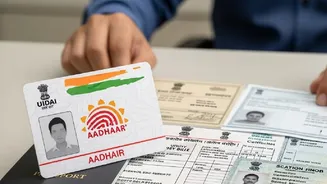
For challans dated before AY 2020-21 or if you've missed the online correction deadlines, you'll need to submit a physical application to your AO. You can find your AO's details on the income tax portal under the 'Know Your AO' link. You will need to write a formal letter explaining the error and the required correction. Attach a copy of the original challan receipt, your PAN card, and any other supporting documents, like a bank statement showing the debit. After submitting the request, the AO will verify the details and manually update the system. This process is more time-consuming and may require follow-up visits to ensure the change is processed and your refund is finally cleared.