





The Core Ergonomic Conflict
Laptops are marvels of portable engineering, but their all-in-one design presents a fundamental ergonomic problem. The screen and keyboard are attached, meaning if the keyboard is at the right height for your wrists, the screen is too low for your neck,
and vice versa. This forces you into a hunched position, looking down, which puts significant strain on your neck and spine. The human head is surprisingly heavy, and holding it in a forward, tilted position for hours is a recipe for muscle fatigue, stiffness, and long-term discomfort. The goal of an ergonomic setup is to deconstruct the laptop, allowing you to position the screen and keyboard independently for a neutral, comfortable posture.
Elevate Your Screen to Eye Level
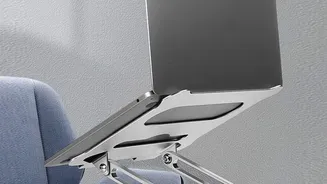
The single most effective change you can make is to raise your laptop screen. The top of your screen should be at or just slightly below your eye level. This allows you to look straight ahead, keeping your neck aligned with the rest of your spine. You don't need fancy equipment to achieve this; a stack of sturdy books, a small box, or a dedicated laptop stand will all work. Your screen should also be about an arm's length away from your eyes to prevent you from leaning in and to reduce eye strain. This simple adjustment immediately relieves the tension that comes from constantly looking down.
Use an External Keyboard and Mouse
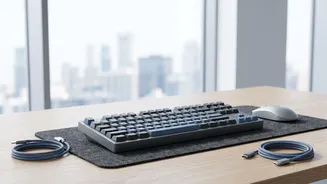
Once your laptop is elevated, its built-in keyboard will be at an awkward, unusable angle. The solution is to use a separate, external keyboard and mouse. This allows you to place the keyboard at a height where your arms can relax. Your elbows should be bent at roughly a 90-degree angle, close to your body, and your wrists should be in a straight, neutral position while typing, not bent upwards or downwards. An external mouse is also far superior to a trackpad for preventing wrist and shoulder strain, as it allows for more natural arm movements. This combination effectively turns your portable laptop into a more comfortable and sustainable desktop-style setup.
Check Your Seated Posture
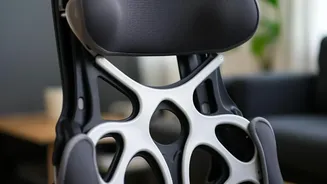
Even with the perfect laptop setup, your overall posture is critical. Start by adjusting your chair. Its height should allow you to place your feet flat on the floor with your thighs roughly parallel to the ground. If your feet don't reach, use a footrest. You should be sitting back in your chair so that your lower back is supported; if your chair lacks good lumbar support, a small cushion or rolled-up towel can help maintain the natural curve of your spine. Your shoulders should be relaxed, not hunched up towards your ears, and your back should be comfortably straight.
The 20-20-20 Rule for Eye Strain
Staring at a screen for hours can lead to digital eye strain, characterized by dry eyes, headaches, and blurred vision. To combat this, practice the '20-20-20' rule. Every 20 minutes, take a 20-second break to look at something at least 20 feet away. This simple exercise helps relax your eye muscles and gives them a much-needed break from focusing on the close-up screen. It's a small habit that can make a significant difference in your eye comfort throughout the day.
Movement is Non-Negotiable
No ergonomic setup, no matter how perfect, can replace the need for regular movement. A static posture, even a good one, puts stress on your body. Set a reminder to get up, stretch, and walk around for a few minutes at least once every hour. Stand up during phone calls, walk to get some water, or simply do a few gentle neck and shoulder rolls at your desk. This movement improves circulation, reduces muscle fatigue, and helps reset your posture, preventing the gradual slump that can happen over a long workday. Integrating short, frequent breaks is just as important as the initial setup itself.