



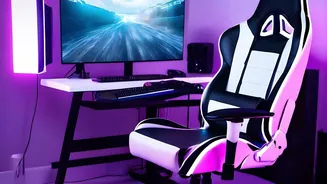

Position Your Monitor for Spinal Success
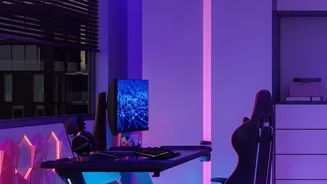
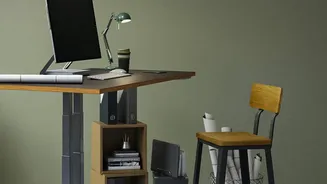
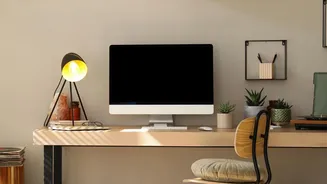
One of the biggest culprits of poor posture is your monitor's position. If it’s too low, you naturally crane your neck and slouch forward, which strains your upper back and causes your lower spine to curve incorrectly. The fix is simple: position your monitor so
the top edge of the screen is at or just below your eye level. This encourages you to keep your head up and your spine in a more neutral alignment. Your monitor should also be about an arm's length away from your eyes. If you primarily use a laptop, propping it up on a stand or a stack of books and using an external keyboard and mouse is a crucial adjustment to avoid looking down for hours.
Master Your Chair's Basic Settings
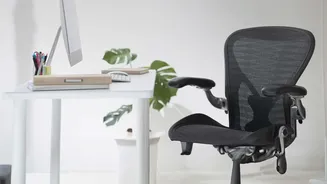
An ergonomic chair is only effective if it's adjusted to fit your body. Start with the height. You should be able to sit with your feet flat on the floor and your knees at a 90-degree angle, roughly level with or slightly below your hips. This distributes your weight evenly and reduces pressure on your lower back. Next, check the seat depth. When sitting all the way back, you should be able to fit two to three fingers between the front edge of the seat and the back of your knees. This prevents the seat from cutting off circulation or pulling your pelvis forward into a slouch.
Dial in Your Lumbar Support
Your lower spine has a natural inward curve, known as the lumbar lordosis. The goal of lumbar support is to fill the gap between your back and the chair, maintaining this curve and preventing you from flattening your spine as you sit. Adjust the support so it fits snugly into the small of your back, generally around your belt line. If the support feels like it's pushing you too far forward or creating an aggressive arch, reduce its depth or tension. If your chair lacks built-in adjustable support, a rolled-up towel or a small cushion can serve the same purpose effectively.
Align Your Arms and Shoulders
Armrests are not just for resting; they play a key role in reducing strain on your shoulders and neck, which can translate to back tension. Adjust your armrests so that your elbows can bend at a roughly 90-degree angle, with your forearms parallel to the floor while typing. Your shoulders should be relaxed, not hunched up towards your ears. If your desk is too high, it will force this hunched position. If possible, adjust your chair height first, and then match your desk setup. Ensure your keyboard and mouse are close enough to prevent you from reaching, which can twist your spine.
Movement is the Final, Crucial Tweak
Even the most perfectly ergonomic setup cannot eliminate the risks of a static posture. Your body is designed to move, and sitting for prolonged periods puts continuous pressure on your spinal discs. Experts recommend breaking up your sitting time by standing, stretching, or walking around for a few minutes every 30 to 60 minutes. These small movement breaks improve circulation, reduce muscle stiffness, and give your spine a chance to decompress. Consider taking phone calls while standing or walking to a colleague's desk instead of sending another email. These micro-habits are just as important as your physical setup.