






Start With Your Chair Height
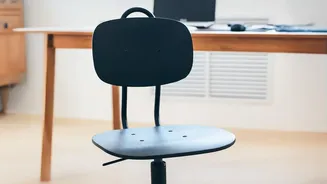
The foundation of good posture begins with your feet. Adjust your chair height so that your feet rest flat on the floor. Your thighs should be roughly parallel to the ground, with your knees bent at about a 90 to 110-degree angle. If your feet don't reach
the floor, use a footrest or a sturdy stack of books. This position ensures your weight is evenly distributed and prevents strain on your lower back. Avoid crossing your legs, as this can misalign your spine and hips over time.
Support Your Lower Back
Most chairs, especially dining chairs used for remote work, lack adequate lumbar support. Your spine has a natural inward curve in the lower back, and it's vital to maintain it. If your chair doesn’t have built-in support, you can create your own. Simply roll up a towel and place it in the small of your back. The roll should be firm enough to offer support without pushing your spine forward uncomfortably. This small tweak prevents you from slouching and takes significant pressure off your lower back muscles.
Position Your Monitor Correctly
Constantly looking down or up at a screen is a primary cause of neck and shoulder pain. Position your monitor directly in front of you, about an arm's length away. The top of the screen should be at or slightly below your eye level. This encourages a neutral neck position, preventing you from tilting your head and straining your upper spine. If you're using a laptop, an external keyboard and mouse are recommended, allowing you to raise the laptop on a stand or stack of books to achieve the correct screen height.
Align Your Arms and Wrists
Your arms should also be in a relaxed, neutral position. Adjust your chair’s armrests so your shoulders are relaxed and your elbows bend at roughly a 90-degree angle. Your keyboard and mouse should be positioned at or just below your resting elbow height. This prevents you from hunching your shoulders up toward your ears, a common source of tension. Keep your wrists as straight as possible while typing to avoid strain.
Check the Space Behind Your Knees
A lesser-known but crucial adjustment is the depth of your seat. When sitting with your back against the backrest, you should be able to fit two or three fingers between the front edge of your chair and the back of your knees. If the seat is too deep, it can press against your nerves and blood vessels, restricting circulation and causing discomfort. If your chair is too deep and not adjustable, placing your lumbar support towel or cushion can help shift you forward slightly.
Remember to Move Often
Even the most perfect posture isn't meant to be held statically for hours. The best posture is your next posture. Set a timer to get up, stretch, and walk around for a few minutes every hour. Simple movements like gentle neck stretches, shoulder rolls, and standing up can relieve muscle tension and reset your body. Movement is a critical component of spine health and prevents the stiffness that comes from prolonged sitting.