





Decoding Official Weather Warnings
Before you even grab your car keys, your first stop should be the official forecast. The India Meteorological Department (IMD) uses a simple colour-coded system to warn citizens about the severity of upcoming weather. For drivers, this is what they mean:
Green means 'All is Well' and no advisory is needed. Yellow means 'Be Aware'; it’s a signal to keep an eye on the weather as it could change and affect your daily routine. Orange is a 'Be Prepared' warning. This indicates that extremely bad weather is expected, which could disrupt traffic, and you should consider rescheduling travel. Red means 'Take Action'. This is the highest alert, issued for weather events like extremely heavy rainfall (over 204.5 mm in 24 hours) that are expected to disrupt transport and power. Driving is not advised during a red alert.
Your Go-To Government Weather Apps
To get these alerts directly, the Government of India offers dedicated free apps. The primary one is 'Mausam', the official app of the IMD. It provides current weather information, seven-day forecasts for hundreds of cities, and, most importantly, the colour-coded district-wise warnings for the next five days. Another critical app is 'Damini', which is specifically designed for lightning alerts. It uses your phone's GPS to warn you if lightning activity is detected within a 20 km to 40 km radius, giving you crucial advance notice of thunderstorms, which often accompany heavy monsoon downpours.
Navigating Real-Time Road Conditions
A weather forecast tells you what’s coming, but real-time navigation apps tell you what’s happening on the road right now. Google Maps and Waze are invaluable for this, using crowdsourced data to show traffic jams, accidents, and road closures. Google Maps will often provide vocal alerts about heavy traffic or incidents ahead and suggest alternative routes. For national highways, the 'Rajmargyatra' app by the National Highways Authority of India (NHAI) is essential. It allows you to check toll information and, critically, report issues like potholes or waterlogging. You can also call the 24x7 National Highway Helpline at 1033 for assistance with any emergency on NHAI-tolled roads.
Setting Up Your Pre-Drive Digital Cockpit
Information is useless if you don't see it in time. Before the monsoon season starts, take a few minutes to set up your phone. First, download your chosen apps (Mausam, Damini, and a navigation app like Google Maps or Mappls). Go into your phone's settings and ensure these apps have permission to use your location and send you notifications. Customise the alerts where possible; for instance, you can set specific locations in the Mausam app to monitor the weather for your home, office, and frequent destinations. Before any rainy-day drive, make it a habit to spend five minutes checking these apps. Look at the IMD alert level, check the radar in Mausam to see where the rain is heaviest, and then map your route in your navigation app to check for real-time traffic and reported hazards like waterlogging.
From Digital Alerts to Physical Action
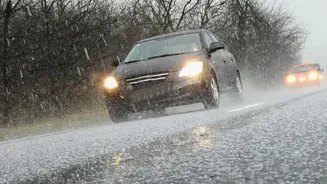
Digital tools are only half the battle. The alerts they provide should prompt physical checks and changes in your driving behaviour. An alert for heavy rain should be a reminder to check your wiper blades, tyres, and headlights before you leave. Poor visibility warnings mean you should use your low-beam headlights even during the day to ensure other drivers can see you. Alerts about traffic or flooding should prompt you to leave earlier so you don't feel rushed and can drive more slowly. On wet roads, reduce your speed by about 25-30% and double your following distance from the vehicle in front. Never use cruise control in the rain, as it can reduce your ability to detect and react to aquaplaning.