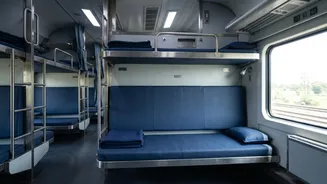






Securing a lower berth on a long train journey is a top priority for senior citizens and pregnant travellers. Navigating the IRCTC booking system can be tricky, but understanding a few key settings and rules can significantly boost your chances.
1. Provide Accurate Passenger Details
The most
fundamental step is ensuring all passenger information is entered with 100% accuracy. The IRCTC system automatically flags passengers eligible for the lower berth quota based on their age and gender. For men, the senior citizen age is 60 years and above. For women, the eligibility for lower berth priority starts at 45 years and above. An incorrect date of birth is a common reason why eligible passengers miss out on this automated priority. For pregnant women, while there isn't a dedicated online checkbox, the system includes them in the priority group. However, securing a berth may sometimes require booking at a physical counter with a medical certificate or applying through other railway quotas. It is crucial to carry a valid government ID for age verification during the journey.
2. Understand the Lower Berth Quota
Indian Railways earmarks a specific number of lower berths in most coaches for eligible passengers. This is known as the Lower Berth Quota or Senior Citizen Quota (SS Quota). In Sleeper Class (SL), this is typically six to seven lower berths per coach. In AC 3-Tier (3A/3E) it's around four to five, and in AC 2-Tier (2A), it's three to four. This quota is automatically applied by the reservation system when it detects an eligible passenger, subject to availability at the moment of booking. It is not a separate quota you need to manually select from a dropdown menu in most cases, but an automated priority system that works in the background. The key is that the system must identify you as eligible based on the age you provide.
3. The 'Book Only If...' Conditional Setting
One of the most powerful 'settings' at your disposal is the conditional booking option on the IRCTC website and app. After entering passenger details, you will find checkboxes for reservation preferences. The most useful one is 'Book, only if at least 1 lower berth is allotted'. By selecting this, you instruct the system to only proceed with the booking if it can assign at least one lower berth to your PNR. If no lower berths are available under any quota at that time, the transaction will fail, and your money will be refunded, allowing you to search for another train or class without being locked into an undesirable booking. This gives you ultimate control and prevents the disappointment of being automatically assigned a middle or upper berth.
4. The Two-Passenger Rule for Quota
A critical but often overlooked rule is how the Senior Citizen Quota is applied to group bookings. The automatic lower berth priority works reliably only when an eligible senior citizen is travelling alone or when a maximum of two eligible passengers are booked on the same PNR. If you book a ticket for three or more senior citizens, or if you add a non-eligible younger passenger to the same PNR, the system often defaults to the General Quota. This disables the automatic lower berth priority. The best strategy for a family is to book the eligible senior citizens on a separate PNR (one or two per ticket) to ensure the system correctly applies the quota for them. The rest of the family can be booked on a different PNR.