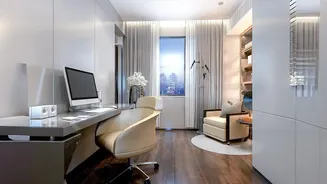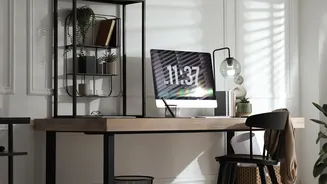






The Problem with Ceiling Lights Alone
A single light source from the ceiling is often the default, but for focused computer work, it creates more problems than it solves. This type of lighting casts light from above and behind you, creating two major issues. First, it produces glare by reflecting
off your computer screen, forcing your eyes to work harder to see clearly. Second, it casts shadows exactly where you don’t want them. Your own head and shoulders can block the light, leaving your keyboard and notebooks in a subtle but straining darkness. This constant battle against glare and shadow leads to eye fatigue, headaches, and a drop in productivity.
The Solution: A Layered Lighting Strategy
Professional designers don't just light a room; they layer it. The three key layers are ambient, task, and accent lighting. Think of your ceiling light as the ambient layer—it provides general, room-filling illumination that lets you navigate the space safely. But it's not enough for focused work. For that, you need dedicated task lighting. This is where light from the side comes in. Task lighting is brighter, more concentrated light aimed at a specific area, like your desk, to help you perform activities like reading, writing, or typing without strain.
Your Workhorse: The Side Lamp
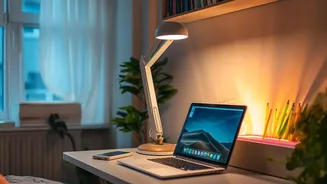
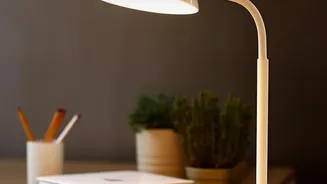
The hero of your work corner is a simple desk or floor lamp, positioned to your side. This is your task light, and its job is to provide direct, focused illumination on your immediate work surface. An adjustable lamp is ideal, as it allows you to direct the beam precisely onto your keyboard or documents, keeping it out of your eyes and off your screen. Unlike a ceiling light that creates widespread glare, a properly placed side lamp illuminates your tasks without creating new visual problems. This targeted approach reduces the harsh contrast between a bright screen and a dark desk, creating a more comfortable visual environment.
Position Is Everything to Avoid Glare and Shadows
Where you place your side lamp is crucial. The most important rule is to position the lamp on the opposite side of your dominant hand. If you are right-handed, your lamp should be on your left. If you are left-handed, it goes on your right. This simple trick prevents your writing hand from casting a distracting shadow across your page. The lamp head should be positioned about 15 to 24 inches away from your work area to provide focused light without being overpowering. Also, ensure your desk is perpendicular to any windows, so natural light comes from your side rather than from in front or behind, which also helps minimize screen glare.
Choosing the Right Bulb for Focus
The bulb you choose matters just as much as the lamp. You'll want to pay attention to two measurements: lumens and kelvin. Lumens measure brightness. For general computer work and reading, a bulb that provides 450 to 1000 lumens is usually sufficient. The second is color temperature, measured in Kelvin (K). For a workspace, aim for a cooler, neutral white light between 4000K and 5000K. This range mimics natural daylight, which can help improve focus and alertness while reducing eye strain. Warmer, yellow-toned lights (under 3000K) are better for relaxation and can make you feel drowsy.