




Strengthen Your First Line of Defence: Device Settings
The security of your smart camera starts with the device itself. Many Internet of Things (IoT) products, including cameras, ship with weak or universal default passwords that are easily found online by hackers. The single most important first step upon
setting up a new camera is to change the default username and password to a strong, unique one. A secure password should be at least 12 characters long and include a mix of letters, numbers, and symbols.Beyond passwords, enabling multi-factor authentication (MFA) adds a critical layer of security. This means that even if someone steals your password, they still need a second form of verification, like a code sent to your phone, to access your device. Equally important is keeping the camera's firmware up to date. Manufacturers release updates to patch security vulnerabilities, and enabling automatic updates ensures your device is always running the latest, most secure software. Finally, review and disable any features you don't use, such as remote access, to reduce the number of potential entry points for attackers.
Secure the Hub: Your Cloud Account
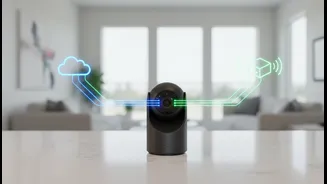
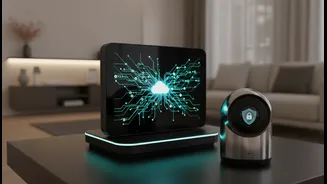
Most smart cameras connect to a cloud service to store video footage and allow remote viewing. This cloud account is another potential target for cybercriminals. Securing this account is just as vital as securing the camera itself. Start by using a strong, unique password for your cloud account—do not reuse the same password from other services. Enable two-factor authentication (2FA) on the account, which most reputable providers now offer.It's also wise to understand the privacy policies of the service you're using. Reputable brands should be transparent about what data they collect, how it's used, and who has access to it. Look for services that offer end-to-end encryption, which ensures that your video footage is scrambled from the moment it is recorded until you view it, making it unreadable to anyone else, including the service provider. Some cameras also offer local storage options, such as a microSD card, which can be a more private alternative to the cloud, as your data never leaves your home.
Fortify Your Foundation: Network Access
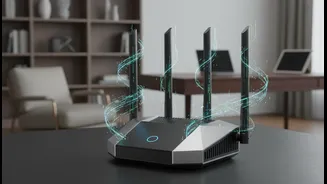
Your smart camera is only as secure as the Wi-Fi network it connects to. If an attacker gains access to your home network, they may be able to compromise all connected devices, including your cameras. The first step is to secure your router with a strong password and enable the highest level of encryption available, preferably WPA3.A highly effective strategy is to create a separate network for your IoT devices. Most modern routers allow you to set up a "guest network." By placing all your smart devices, including cameras, on this isolated network, you create a barrier. If one of those devices is compromised, the attacker's access is contained to the guest network, preventing them from reaching your primary devices like laptops and smartphones where you store sensitive personal information. This practice, known as network segmentation, significantly reduces the risk of a single vulnerable device compromising your entire digital life.