






The AI Gold Rush for Your Pictures
In the race to build the next generation of artificial intelligence, data is the new oil, and your public photos are a treasure trove. Companies developing generative AI—the technology behind text-to-image apps like Midjourney and DALL-E—need vast libraries
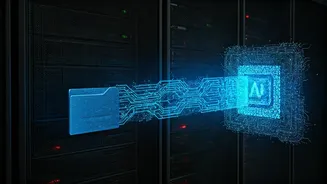
of images to 'teach' their models what a dog, a sunset, or a specific artistic style looks like. To get this data, they deploy automated programs, or 'bots,' to crawl the public internet and social media platforms, downloading billions of images without individual permission. This process, known as 'data scraping,' has created datasets of unprecedented scale, built largely from the content we all share freely online. While some argue this falls under 'fair use,' for many users, it feels like a violation of privacy and a use of their personal data they never agreed to.
Why 'Public' Isn't a Free Pass
The core of the issue lies in the blurry line between 'publicly visible' and 'public domain.' Just because you post a photo for your friends and followers to see doesn't mean you've granted a global tech company the right to use it for commercial product development. The terms of service on platforms like Instagram and Facebook are often long and complex, but they generally grant the platform a license to use your content within their service, not a free pass for third parties to scrape it for entirely different purposes. The legal and ethical frameworks are struggling to keep pace with the technology. In the meantime, the most effective defence is proactive privacy management from your end.
Step 1: Make Your Accounts Private
The single most effective step you can take is to switch your social media profiles from 'Public' to 'Private.' On a private account, only your approved followers can see your posts. This creates a significant barrier against automated scraping bots, which typically only have access to public content. On Instagram: Go to your Profile > tap the three lines in the top right > Settings and privacy > Account privacy > toggle on 'Private account.' On X (formerly Twitter): Go to your Profile > More > Settings and privacy > Privacy and safety > Audience and tagging > toggle on 'Protect your Posts.' While this doesn't protect you from your approved followers, it drastically reduces your exposure to large-scale, automated data harvesting by unknown entities.
Step 2: Manage App and Website Permissions
Over the years, you've likely granted dozens of third-party apps and websites access to your social media profiles. These connections can sometimes become a backdoor for data access, even if your account is private. It's good digital hygiene to regularly review and revoke access for any services you no longer use or trust. On Facebook: Go to Settings & Privacy > Settings > Apps and Websites. Here, you'll see a list of all apps connected to your account. You can review their permissions and remove any you don't recognise or need. On Google: Visit your Google Account's security settings and look for 'Third-party apps with account access.' This will show you every service you've logged into using Google. Pruning this list helps secure not just your photos, but your entire digital footprint.
Step 3: Opt Out of AI Training (Where Possible)
As public awareness grows, some platforms are beginning to offer more explicit controls over how your data is used for their own AI development. These are often buried in privacy settings. For example, Meta (parent company of Facebook and Instagram) is rolling out features related to its generative AI. While options are still limited, you can look for privacy settings related to 'generative AI' or 'information for AI models.' Keep an eye on your platform's privacy policy updates, as this is a rapidly evolving area. Exercising your right to object or opt-out where available sends a clear signal to these companies that users demand more control over their data.
Beyond the Toggles: Other Protective Measures
For creators, artists, and others who need to maintain a public profile, making an account private isn't a viable option. In these cases, consider more advanced techniques. Tools like 'Glaze' and 'Nightshade' are emerging from academic research, allowing artists to 'cloak' their images. These tools make subtle changes to the pixels of an image that are invisible to the human eye but can corrupt or mislead AI models trying to learn from them. While not a foolproof solution for the average user, their existence points to a future where creators can more actively fight back against unauthorised scraping. For now, carefully curating what you post publicly and using prominent watermarks remain practical, if imperfect, strategies.