
The Challenge of Endless Mental Notes
The life of a student is a masterclass in juggling. There are essay deadlines, required readings, club meetings, and plans with friends. Many rely on keeping a running tally in their head, but this mental to-do list is often unreliable. Ideas can vanish
as quickly as they appear, especially when you're walking to class or in the middle of a conversation. Traditional note-taking on a phone can also be a trap, pulling you into a world of notifications and distractions. The simple act of unlocking your phone to jot down a reminder can easily lead to 15 minutes of scrolling, derailing your focus entirely. This constant cognitive load—the effort of trying to remember everything—can lead to stress and the unsettling feeling that you've forgotten something important.
Why Capturing Your Voice Works
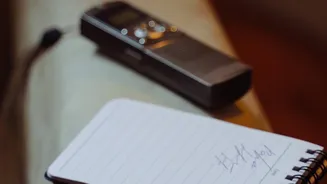
This is where voice notes offer a distinct advantage. Speaking is significantly faster than typing for most people. Research has shown that we speak at a rate of about 125-150 words per minute, while the average typing speed on a phone is closer to 40 words per minute. This speed allows you to capture a thought in its entirety, with all its original context, before it fades. The process is immediate and low-friction: see a poster for an event, and you can quickly record, "Reminder to check out the film society screening on Friday." Have a sudden insight about a term paper while walking home? Speak it into your phone without breaking your stride. This hands-free nature is a key benefit, allowing you to capture tasks and ideas while cooking, commuting, or exercising.
Finding the Right Tools for the Job
Converting your spoken words into an organized list requires a simple technology bridge. Many modern smartphones have built-in voice memo apps that are a great starting point. Newer operating systems often include reasonably accurate, free transcription services. For those seeking a more integrated workflow, a host of third-party apps are designed specifically for this purpose. Tools like Otter.ai, Superwhisper, and Reflect use advanced AI to transcribe audio with high accuracy. Some productivity platforms, such as Notion and Evernote, now incorporate voice note and transcription features directly, allowing you to capture a voice memo and have it appear as text within your existing planning setup. The goal is to find a tool that fits seamlessly into your life, whether it's a dedicated app or a feature within a larger system you already use.
A Simple Workflow to Get Started
Adopting this method doesn't require a complex system. It can be broken down into three simple steps. First, capture everything. The moment a task, idea, or reminder pops into your head, record it. Don't filter or organize yet; just get it out of your head and into your device. Second, process your notes. Set aside a specific time each day—perhaps for 10 minutes in the morning with your coffee—to go through the previous day's voice notes. Use your chosen app to transcribe them into text. The final step is to organize. Read through the transcribed text and pull out the actionable items. Convert these into a structured to-do list in your preferred planner or task management app, assigning due dates and priorities as needed. Once an item is transferred, delete the original voice note to keep your inbox clean.
Tips for More Effective Voice Tasking
To make the process even smoother, a few best practices can help. Speak clearly and try to minimize background noise for better transcription accuracy. When recording, you can use verbal cues that AI tools can often recognize, such as saying "New task: Email Professor Sharma about the extension" or "Add to shopping list: notebooks and highlighters." Some advanced systems allow you to set due dates and priorities with your voice. Furthermore, don't just use it for tasks. A daily "brain dump" can be incredibly effective. At the end of the day, take a few minutes to talk through everything on your mind—worries, ideas, and pending tasks. Transcribing this can provide a clear overview of your mental state and help you plan for the next day with a clear head.