



Your Pocket Planetarium
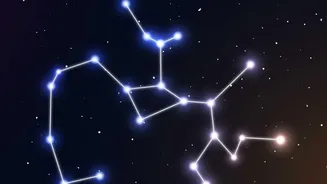
The magic begins with augmented reality (AR). Modern stargazing apps use your phone’s camera, GPS, and orientation sensors to create a live, interactive map of the sky. Point your device towards any patch of darkness, and the screen will reveal the names
of stars, trace the patterns of constellations, and highlight planets invisible to the naked eye. This technology removes the biggest barrier for beginners: the overwhelming and seemingly random scattering of stars. Instead of guessing, you get instant identification. Apps can show you the trajectory of the International Space Station (ISS) or notify you when Jupiter is at its brightest. It’s like having an expert astronomer by your side, turning a confusing view into a personal tour of the galaxy.
Essential Apps to Download Tonight
Getting started is as simple as visiting your app store. Several powerful and user-friendly options can transform your phone into a celestial guide. Star Walk 2 is often recommended for beginners due to its beautiful interface and easy-to-use AR overlays. SkyView Lite is another fantastic free option that works even without a Wi-Fi or network connection, making it perfect for any location. For those wanting a highly realistic depiction of the sky, Stellarium Mobile offers a massive database of stars and deep-sky objects, simulating the view from any date and location. Many of these apps also provide a wealth of information—from the mythology behind a constellation to the scientific data of a distant nebula—adding layers of discovery to your viewing.
Beating the Urban Haze
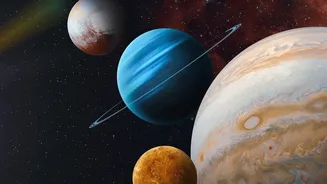
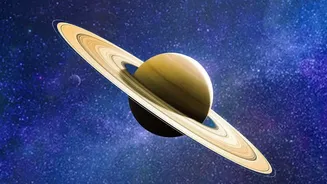
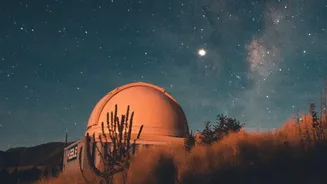
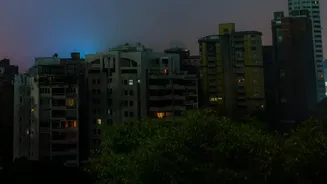
Light pollution is the urban stargazer's greatest challenge, but your smartphone can help you overcome it. These apps are designed to know which celestial objects are bright enough to punch through the city glow. You can focus your attention on planets like Venus, Mars, Jupiter, and Saturn, which are often bright enough to be seen even from a balcony. Another key tip is to allow your eyes to dark-adapt for at least 20-30 minutes; avoid looking at your phone screen on full brightness during this time. Many apps feature a red-light mode that preserves your night vision. Also, consider your location. Gaining a little altitude by heading to a rooftop or a nearby hill can place you above the worst of the ground-level glare. Try to find a spot shielded from direct streetlights, as even a single bright light can ruin your night vision.
From Spotting to Snapping a Souvenir
Once you've found a planet, the next thrill is capturing it. While you won't be taking Hubble-quality images, modern smartphone cameras are surprisingly capable of basic astrophotography. The key is stability. Prop your phone against a sturdy object or invest in a small, inexpensive tripod. Use your phone’s built-in 'Night Mode', which automatically takes longer exposures to gather more light. For iPhones, Night Mode can take exposures up to 30 seconds if the phone is stable, while Google's Pixel phones have a dedicated Astrophotography mode for even longer exposures. You won’t capture the faint, distant galaxies, but you can certainly get a respectable shot of the Moon's craters or document the alignment of several planets. Simple editing with apps like Snapseed can further enhance your photos by adjusting contrast and brightness to make the stars pop.