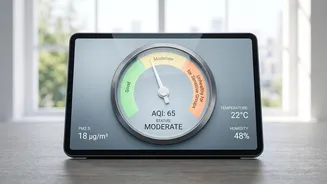







As concerns over air quality grow across India, knowing the air you breathe is more important than ever. The government provides a reliable tool to do just that. Here’s your guide to using the official CPCB tracker to monitor daily AQI levels.
What is the AQI and Why Does it Matter?
The Air
Quality Index, or AQI, is a simple tool for communicating how polluted the air is. Developed by the Central Pollution Control Board (CPCB), it converts complex data from eight major pollutants—including PM2.5, PM10, and nitrogen dioxide—into a single number, colour, and category. This 'One Number, One Colour, One Description' system helps you quickly understand the potential health risks. An AQI is calculated based on hourly or 24-hour average concentrations of these pollutants. Monitoring the AQI is crucial because poor air quality can cause health issues ranging from minor breathing discomfort to serious respiratory illnesses, especially with prolonged exposure.
Meet SAMEER: Your Official AQI Tracker
The official tool provided by the CPCB is an app called SAMEER. Available for both Android and iOS devices, SAMEER provides hourly updates on the AQI for over 100 cities across India, sourced directly from official monitoring stations. This makes it the most reliable and authentic source for air quality data in the country, free from the variations you might find in other third-party apps. In addition to tracking pollution, the app also allows users to register complaints about issues like garbage dumping or vehicle emissions.
Getting Started with the SAMEER App
Tracking the AQI is straightforward. First, download the SAMEER app from the Google Play Store or Apple App Store. Once installed, the app will ask for location access to provide data for your area. The main screen typically displays a map of India with colour-coded AQI values for different cities. You can tap on a specific city or monitoring station to get detailed information. Recent updates have improved the user experience with features like an interactive map, an AQI calendar to view historical data, and personalised alerts.
Understanding the Colours and Categories
The key to using the tracker effectively is understanding what the numbers and colours mean. The CPCB uses six categories. Green (0-50 - Good): Air quality is excellent with minimal health impact. Light Green (51-100 - Satisfactory): Generally good, but may cause minor breathing discomfort to very sensitive people. Yellow (101-200 - Moderate): Can cause breathing discomfort for people with lung conditions like asthma, as well as for children and older adults. Orange (201-300 - Poor): May lead to breathing discomfort for most people upon prolonged exposure. Red (301-400 - Very Poor): Can result in respiratory illness after long exposure. Maroon (401-500 - Severe): Affects even healthy people and has serious impacts on those with existing diseases. By checking the colour, you can make quick decisions, like whether to go for a run or keep the windows closed.
How to Track Changes and Trends
To see if the air quality is improving or deteriorating, you need to look at the trends. On the SAMEER app, you can view the AQI for the past 24 hours, which helps you see fluctuations during the day. Air quality often worsens during morning and evening rush hours. For a broader perspective, the app includes an 'AQI calendar' feature that shows historical data, allowing you to compare the AQI of a particular day with previous days or even years. When you click on a specific location, the app also shows you which pollutant is most prominent, such as PM2.5 or PM10, which are often the main culprits behind high AQI levels in Indian cities.
Using the CPCB Website for More Data
If you prefer using a desktop or want to explore more comprehensive data, the CPCB's official website offers a real - time AQI portal. The website features an interactive map and publishes daily AQI bulletins for various cities. This can be a great resource for a more in - depth look at air quality trends across different regions of the country. The data is sourced from the same continuous monitoring stations as the SAMEER app, ensuring consistency and accuracy.