






The Foundation: Adjusting Your Chair Correctly
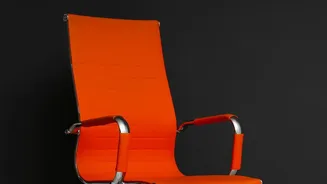
Your chair is the starting point for a healthier posture. The goal is to support your spine's natural curve, not force it into an unnatural position. First, adjust the seat height so your feet rest flat on the floor with your knees at or slightly below
hip level. Your thighs should be roughly parallel to the floor. Sit all the way back in the chair so your spine is fully supported by the backrest. If your chair has lumbar support, position it to fit the natural curve of your lower back; it should feel supportive, not pushy. Armrests should be set so your elbows can bend at a comfortable 90-degree angle, allowing your shoulders to relax.
Finding the Right Monitor Height
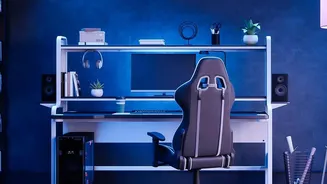
A poorly positioned monitor is a primary cause of neck strain and upper back pain, as it often leads to a forward-head posture. The rule of thumb is to position your monitor so the top of the screen is at, or just slightly below, your eye level when you are sitting upright. This allows your gaze to fall naturally toward the middle of the screen without needing to tilt your head up or down. The monitor should be placed directly in front of you, about an arm's length away. If you use a laptop, propping it up on a stand or a stack of books to raise the screen to eye level and using a separate keyboard and mouse is one of the most effective changes you can make.
Perfecting Your Keyboard and Mouse Position
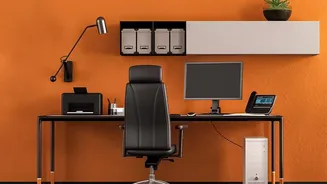
Even with the perfect chair and monitor setup, reaching for your keyboard or mouse can create tension. Place your keyboard and mouse close enough to your body so you can use them with your elbows bent at roughly a 90-degree angle and close to your sides. Your wrists should remain in a straight, neutral position, not bent upwards or downwards while typing. Avoid storing items under your desk that would prevent you from pulling your chair in close enough to maintain this relaxed arm posture.
It's Not Just About Your Back
A good ergonomic setup considers your whole body. Ensure there is a gap of about two to three fingers' width between the front edge of your chair and the back of your knees to avoid cutting off circulation. If your feet don't comfortably rest flat on the floor after adjusting your chair height relative to your desk, use a footrest. This ensures your weight is distributed evenly and reduces pressure on your spine. If you use two monitors, place the primary one directly in front of you and the secondary one to the side. If you use them equally, arrange them in a slight V-shape with the central point directly in front of you to avoid constant neck twisting.
Movement Is the Final, Crucial Tweak
Even the most perfectly ergonomic workstation cannot replace the need for regular movement. Sitting in one position for prolonged periods, no matter how good the posture, can lead to muscle stiffness and fatigue. Experts recommend standing up, stretching, or taking a short walk for a few minutes every 30 to 60 minutes. Set a timer to remind yourself to move. These short breaks improve circulation, relieve pressure on your spine, and combat the negative effects of a sedentary workday. Alternating between sitting and standing with an adjustable desk is another excellent way to introduce more movement into your day.