






Why This Is a Great Time to Look Up
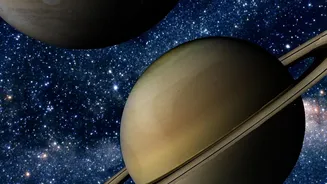
September 2026 is a fantastic month for planet hunting. Throughout the month, both Jupiter and Saturn are visible in the night sky. Saturn, the famous ringed planet, rises in the east not long after sunset and remains visible for most of the night. Jupiter,
the largest planet in our solar system, rises a few hours before sunrise, dominating the eastern sky as a brilliant, star-like object. Both planets are bright enough to be seen even from light-polluted cities. Unlike stars that twinkle, planets shine with a steady, unwavering light, which can help you distinguish them. Jupiter will appear as a very bright white light, while Saturn has a more yellowish-white glow.
Your Smartphone is a Pocket Planetarium
The secret to finding any celestial object is a stargazing app. These apps use your phone's built-in GPS and compass to know your location and where you're pointing it. When you hold your phone up to the sky, the app displays a real-time, augmented-reality map, identifying the stars, constellations, and planets in your view. It’s like having an astronomy expert standing next to you, pointing everything out. The best part is that many of these powerful apps are either free or have incredibly useful free versions, making astronomy more accessible than ever.
The Best Sky Map Apps for Beginners
You don't need a complex, professional-grade application to start. For beginners, a few apps stand out for their user-friendly interfaces and robust free features. Apps like SkyView Lite, Star Walk 2, and Stellarium Mobile are highly recommended and available on both iOS and Android. SkyView Lite is praised for its simple point-and-identify augmented reality feature, which works even without a data connection. Star Walk 2 is another great option for beginners, offering appealing visuals and satellite tracking. Stellarium is a favorite among many for its clean interface and realistic sky depiction. The original Google Sky Map, though simpler, is another excellent and completely free choice for Android users. You can't go wrong starting with any of these.
A Step-by-Step Guide to Finding the Planets
Ready to go planet hunting? Follow these simple steps: 1. Download Your App: Choose one of the recommended apps from the App Store or Google Play and install it. 2. Grant Permissions: When you first open the app, it will ask for permission to access your location and sometimes your camera. Allow this, as it's essential for the app to create an accurate map of your sky. 3. Head Outside: Find a spot with the clearest possible view of the sky. While Jupiter and Saturn are bright, getting away from direct streetlights helps. 4. Point and Identify: Open the app and simply point your phone toward the sky. The screen will show an overlay of what you're looking at. 5. Use the Search Function: To find Jupiter or Saturn specifically, use the app's search feature. Type in the planet's name, and an arrow will usually appear on the screen, guiding you to move your phone until the planet is centered in your view.
Enhancing Your Viewing Experience
Once you've found Jupiter and Saturn, take a moment to really observe them. To improve your experience, find the darkest spot you can. Turn off porch lights and give your eyes at least 20 minutes to adjust to the darkness; you'll be amazed at how many more stars appear. While both planets are impressive to the naked eye, a simple pair of binoculars can reveal even more. With binoculars, you might be able to spot Jupiter's four largest moons, known as the Galilean moons, appearing as tiny pinpricks of light in a line around the planet. For Saturn, binoculars might show it as a slightly elongated object rather than a perfect point, hinting at its famous rings.