

What is AI Photo Enhancement?
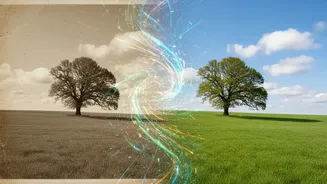
At its core, AI photo enhancement is the use of intelligent software to automatically improve the quality of an image. Unlike traditional editing tools that apply broad filters, AI systems are trained on millions of high-quality and low-quality photo pairs.
This training allows them to understand what makes an image clear, sharp, and detailed. When you upload a soft or low-resolution photo, the AI analyzes it to identify issues like blurriness, digital noise, or compression artifacts. It then intelligently reconstructs the image, adding detail and clarity in a way that looks natural, often with a single click.
Upscaling Resolution: Making Small Photos Big
One of the most powerful features of AI enhancement is 'upscaling' or 'super-resolution'. Traditionally, enlarging a small, low-resolution photo would simply stretch the existing pixels, resulting in a blurry, blocky mess. AI upscaling is different. Instead of stretching, the AI generates brand-new, context-aware pixels to increase the image's dimensions. Because the AI model has learned what textures, edges, and details are supposed to look like, it can intelligently fill in the missing information, transforming a tiny digital file into a large, crisp image suitable for printing without significant quality loss.
Sharpening Focus: Reclaiming Lost Details
Soft focus is another common problem with old snapshots, often caused by slight camera shake or the limitations of older lenses. AI sharpening tools are built to tackle this. The software identifies the soft areas of a photo and accentuates the edges where different elements meet—like an eyelash against skin or the line of a collar. By increasing the micro-contrast along these edges, the AI makes the entire image appear more defined and details more distinguishable. Modern tools can even correct for minor motion blur or missed focus by reconstructing what the crisp details likely looked like, bringing faces and textures back into clarity.
How to Get Started with AI Enhancement
Getting started is simpler than you might think. The first step is to create a good digital copy of your physical photo. A flatbed scanner will produce the best results, but a high-resolution photo taken with your smartphone in good, even light can also work. Once you have a digital file, you can use one of the many available AI enhancement tools. These come in several forms: standalone desktop applications, plugins for software like Adobe Photoshop or Lightroom, and simple web-based services where you just upload your image. Many tools offer a free trial, allowing you to see the results before committing.
Tips for the Best Results
While AI tools are powerful, the quality of your input still matters. Start with the highest quality scan or digital photo you can get. When using an enhancer, it is often best to upscale the resolution first, and then apply sharpening to the newly enlarged image. Be mindful that aggressive settings can sometimes produce an unnatural or 'plastic' look, especially on skin. Many tools have sliders that allow you to control the intensity of the enhancement, so you can find a balance that looks sharp yet authentic. The goal is to make the original photo clearer, not to create something that looks artificial.