




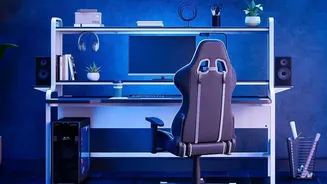
The Foundation: Set Your Chair Height First
Before you touch your monitor, start with your chair. The goal is to create a stable, neutral base for your entire body. Adjust the height so your feet can rest flat on the floor, with your knees bent at roughly a 90-degree angle. Your hips should be level
with or slightly higher than your knees. This position helps distribute your weight evenly and prevents your lower back from taking on unnecessary strain. If your feet don't reach the floor after adjusting for your desk height, use a footrest. Avoid crossing your legs, as this can misalign your spine and hips over time.
Align Your Spine: Adjust Backrest and Lumbar Support
An ergonomic chair is only effective if it's customized to your body. Your spine has a natural S-shaped curve, and the goal is to maintain it, not flatten it. Adjust your chair’s backrest to support your back, and if it has lumbar support, position it to fit the curve of your lower back. It should feel supportive but not push your back into an excessive arch. If your chair lacks built-in support, a small pillow or a rolled-up towel can serve the same purpose, preventing you from slouching and easing the load on your spinal discs.
The Critical Link: Position Your Monitor at Eye Level
Incorrect monitor height is a primary cause of strain that travels from your neck all the way down your spine. The rule is simple: the top of your monitor screen should be at or slightly below your eye level. This allows you to look forward naturally, keeping your neck in a neutral position. If your monitor is too low, you’ll crane your neck forward, rounding your upper back and putting pressure on your lower back as your body compensates. If it’s too high, you’ll tilt your head back, which can also strain your back muscles. Use a monitor stand or a stack of books to achieve the correct height.
Mind the Gap: Set the Correct Monitor Distance
Height is only half the battle; distance matters, too. Your monitor should be positioned about an arm's length away, or roughly 20 to 30 inches from your eyes. This distance allows you to see the entire screen clearly without leaning forward or squinting, both of which contribute to poor posture and back strain. If you use a larger monitor, you may need to increase the viewing distance to avoid excessive head and neck rotation as you scan the screen. Keeping your screen at the right distance helps maintain the neutral, supported posture you established with your chair.
Bring It All Together: Arms, Wrists, and Movement
With your chair and monitor set, fine-tune the rest. Your keyboard and mouse should be close enough that your elbows can rest at a comfortable 90-degree angle, with your wrists straight and not bent upwards. This prevents you from reaching and tensing your shoulders, which can affect your back. Finally, even a perfect setup isn't a substitute for movement. Prolonged sitting weakens the muscles that support your spine. Set a reminder to stand up, stretch, and walk for a few minutes every 30 to 60 minutes. This simple habit improves circulation and gives your back a much-needed break.