






The Golden Rule of UPI Safety
Before we dive into specific scams, it's vital to remember the single most important rule of UPI: you never need to enter your PIN to receive money. Your UPI PIN is a secret code that authorises money to leave your account. It is only required when you are
paying someone, not when someone is paying you. Scammers build their entire strategy around making you forget this fact. They create a sense of urgency or promise a reward to trick you into entering your PIN, which approves a debit from your account. If anyone ever tells you to enter your PIN to get a refund, claim a prize, or accept a payment, it is a scam.
Anatomy of a QR Code Scam
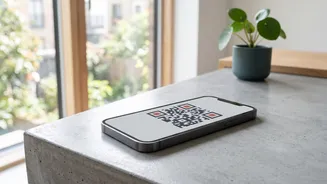
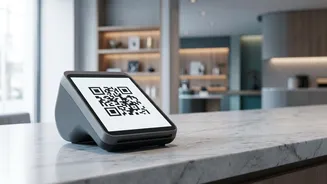
QR code fraud has become widespread, exploiting our trust in scanning to pay. The scam works in two primary ways. First, fraudsters may send you a QR code via WhatsApp or another messenger, often while posing as a buyer on a platform like OLX. They'll claim that scanning the code is necessary for you to receive their payment. However, when you scan the code and enter your PIN, you are actually authorising a payment to them. The second method involves physical tampering, where scammers paste their own QR code sticker over a genuine merchant's code at a shop or petrol pump. An unsuspecting customer scans the fake code and pays the scammer instead of the merchant. Always verify the recipient's name on your UPI app's screen before entering your PIN to ensure it matches the person or business you intend to pay.
Phishing Links and Fake UPI Apps
Phishing remains a classic and effective scamming technique. Fraudsters send SMS messages or emails that look like they are from your bank, a payment app, or a government agency. These messages might claim your KYC is expiring, your account is blocked, or you've won a lottery. They contain a link that directs you to a fake website designed to look exactly like the real one. When you enter your login details or UPI PIN on this fraudulent site, the scammers steal your credentials. Another variation involves tricking you into downloading a malicious or fake UPI app from an unofficial source. These apps can steal your financial information or install malware. Only download UPI and banking apps from the official Google Play Store or Apple App Store.
The 'Collect Request' and Remote Access Traps
Scammers also misuse the 'Request Money' or 'Collect Request' feature on UPI apps. They will send you a payment request, often with a deceptive message like "Enter your PIN to receive your refund." If you approve the request and enter your PIN, you are sending them money, not receiving it. A more invasive scam involves screen-sharing apps. A fraudster, often pretending to be from customer support, will convince you to install an app like AnyDesk or TeamViewer to "help" you with a problem. Once installed, these apps give the scammer complete remote access to your phone's screen. They can then watch you enter your passwords and UPI PIN, and take control of your accounts. Never install any app at the request of an unknown caller.
What to Do If You Get Scammed
If you realise you've been the victim of a UPI fraud, speed is critical. The first and most important step is to call the National Cyber Crime Helpline at 1930 immediately. This line is specifically designed for financial cyber fraud, and quick reporting can help authorities place a hold on the funds before they are withdrawn by the scammer. Simultaneously, you must report the fraudulent transaction to your bank. You should also file a formal complaint on the National Cyber Crime Reporting Portal (cybercrime.gov.in) and report the transaction through the grievance section of your UPI app (like GPay, PhonePe, or Paytm). Preserve all evidence, including transaction IDs, screenshots of messages, and the scammer's phone number or UPI ID.