







The Dawn of the Design Droid
Intelligent Design Assistants are a new class of software tools that use artificial intelligence to automate the visual and structural aspects of creating presentations. This isn't just about better templates. These are AI engines that analyse your content—your
text, your data, your core message—and then generate professional, aesthetically pleasing layouts, colour palettes, font pairings, and even relevant imagery on the fly. Think of it as having a junior graphic designer on call 24/7, embedded directly into your software. Some of these tools, like Microsoft’s PowerPoint Designer, are built into programs you already use. Others are standalone platforms like Tome, Gamma, or Beautiful.ai, which are designed from the ground up to turn a simple text prompt into a fully-fledged, multi-slide presentation in minutes.
From Blank Slide to Brilliant Story
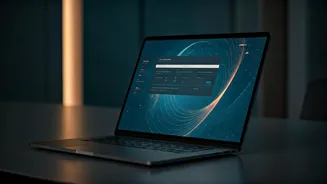
So, how does it work? Most of these tools operate on the principles of generative AI. You provide the raw input, and the AI builds the output. In its simplest form, you might add a picture and a block of text to a slide, and the AI will instantly offer several professional layouts for you to choose from. More advanced platforms take this much further. You can give them a single prompt, like “Create an 8-slide pitch deck for a new mobile app that connects local home cooks with customers,” and the AI will generate an entire presentation. It will create a title slide, an introduction, slides explaining the problem and solution, a market analysis slide, and a conclusion, all populated with starter text and AI-generated images that you can then edit and refine. The goal is to eliminate the 'blank page' problem and handle the 80% of design work that is often generic and time-consuming.
Your AI Co-Pilot: Key Tools to Know
The market for these assistants is growing fast, but a few key players stand out. **Microsoft PowerPoint Designer:** If you use Microsoft 365, you likely already have this. It works in the background, offering design suggestions as you create. It’s fantastic for quickly elevating the look of a presentation you're building manually. **Tome & Gamma:** These are the new-age storytellers. You start with a prompt, and they generate a complete narrative deck. They excel at creating web-native, interactive presentations that feel more like a webpage than a static slide. They are perfect for initial drafts, brainstorming, and getting ideas out quickly. **Beautiful.ai:** This tool’s philosophy is 'design guardrails.' It restricts your choices—in a good way. By limiting how much you can alter layouts, fonts, and colours, it ensures that you can't create an ugly slide. It’s ideal for people who don’t trust their own design instincts and want a guaranteed professional result.
Making the AI Work for You
To get the most out of these assistants, you need to learn how to collaborate with them. First, remember the 'garbage in, garbage out' rule. The AI works best with a clear, well-structured outline. Feed it a jumbled mess of notes, and you'll get a jumbled mess of slides. Second, be specific with your prompts. Instead of a vague request like “a presentation on sales,” try “Create a 5-slide quarterly sales review for the Northern region, highlighting a 15% growth in the Bangalore market.” Finally, treat the AI's output as a first draft, not a final product. It’s there to build the skeleton; it’s still your job to add the heart and soul by refining the text, swapping in more specific images, and ensuring the story flows logically.
Where the Human Touch Still Wins
For all their power, these AI assistants have clear limitations. They can’t replicate nuanced human storytelling or a deep strategic insight. Your unique voice, your personal anecdotes, and your ability to connect with an audience are irreplaceable. Furthermore, most AI tools don’t know your company’s strict brand guidelines. You will almost always need to manually adjust fonts, colours, and logo placements to ensure compliance. Finally, and most importantly, you are still the editor-in-chief. AI can sometimes 'hallucinate' facts or generate images that are subtly wrong. You must fact-check everything and take final responsibility for the content. The AI is an assistant, not the CEO.