





Start with Your Chair: The Foundation
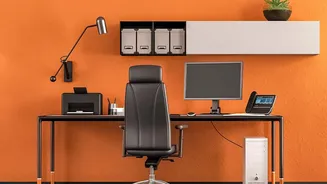
Before touching your desk or monitor, your chair is the most critical part of the ergonomic puzzle. Start by adjusting the height. Your feet should rest flat on the floor, with your thighs parallel to it. If your feet dangle, use a footrest. Your knees
should be at about a 90-degree angle. Next, focus on back support. Sit back so your spine is fully supported by the backrest, which should uphold the natural curve of your lower back. If your chair lacks built-in lumbar support, a small pillow or a rolled-up towel can work wonders. Finally, adjust the armrests so your shoulders are relaxed and your elbows form a 90 to 100-degree angle, resting gently without causing you to hunch.
Align Your Desk and Keyboard
Once your chair is set, it's time to align your desk and keyboard. The goal is to bring the work to you, not force your body to conform to a poorly positioned desk. Your desk should be at a height that allows your elbows to remain at that comfortable 90 to 100-degree angle when typing. Your hands should be at or slightly below the level of your elbows. Place your keyboard directly in front of you, close enough that you don't have to reach. Your wrists should be straight and in a neutral position, not bent up or down. Avoid resting your wrists on a hard desk edge or even a wrist rest while actively typing, as this can cause strain; use rests for pausing only.
Position Your Monitor for Neck Health
Incorrect monitor placement is a primary cause of neck strain and headaches. To find the right spot, first ensure the monitor is directly in front of you, about an arm's length away. This distance helps reduce eye strain. The height is equally important: the top of the screen should be at or just slightly below your eye level. This allows you to look slightly down toward the center of the screen, keeping your neck in a neutral, balanced position. If you wear bifocals, you might need to lower the monitor an extra inch or two for comfortable viewing. If your monitor is too low, use a dedicated stand or a sturdy stack of books to raise it.
Arrange Your Mouse and Accessories
Your mouse should be placed on the same level as your keyboard and within easy reach, so your upper arm can stay relaxed and close to your body. When using the mouse, your wrist should remain straight. Try to use a light touch and adjust the mouse sensitivity so you don't have to make large, strenuous movements. Beyond the mouse, keep any frequently used items, like your phone or a document holder, within arm's reach to avoid repetitive twisting and reaching, which can strain your shoulders and back. If you often refer to papers, use a document holder placed next to your screen to minimize head and neck movement.
Remember the Most Important Rule: Move
Even the most perfectly ergonomic setup has its limits. A static posture, no matter how good, will eventually lead to discomfort if held for too long. Movement is essential for circulation and preventing muscle stiffness. Set a reminder to get up, stretch, and walk around for a few minutes at least once every hour. Some experts even recommend a rhythm like 20 minutes of sitting, 8 minutes of standing, and 2 minutes of moving. When you are sitting, make small adjustments to your position throughout the day. A dynamic approach to your posture is just as important as the initial setup itself.