





Understanding the Core Scam
The most common and deceptive UPI scam doesn't involve hacking your phone; it exploits a simple misunderstanding of how the system works. Scammers use the 'Collect Request' or 'Request Money' feature available on most UPI apps. This is a legitimate tool
for businesses and individuals to ask for payment. However, fraudsters weaponise it. They send you a payment request, but disguise it as a payment to you. The message might claim you've won a prize, are receiving a refund, or that it's a payment for an item you're selling. The entire scam hinges on you approving this request and entering your PIN, which authorises money to be sent from your account, not received into it.
The Golden Rule of UPI Security
To defeat the vast majority of these scams, you only need to remember one non-negotiable rule: You NEVER need to enter your UPI PIN to receive money. Your PIN is a security key that only authorises payments leaving your account. Incoming payments, refunds, and credits happen automatically and never require your PIN for approval. Any person, message, or link that asks for your PIN to complete a credit to your account is a scam. This is the fundamental principle that, once understood, makes you almost immune to this type of fraud.
Red Flags in a Payment Request
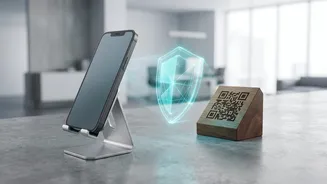
Vigilance is your best defence. Scammers rely on you acting in a hurry without thinking. Look out for these warning signs before you approve any UPI transaction: Urgency and Pressure: Scammers create a false sense of urgency. They might say an offer is expiring, your account will be blocked, or they are in a desperate situation. This is a tactic designed to make you panic and approve the transaction without checking. The Request to 'Receive' via PIN: As mentioned, any request for your PIN to get paid is a definitive red flag. Suspicious Descriptions: The note on a payment request can say anything the sender wants it to say, like “Cashback Approved” or “Refund Processed”. Always read the action button on your app screen. If the button says 'Pay' but the note says 'Receive', trust the button. Unsolicited QR Codes: Scammers may send you a QR code via WhatsApp or email, claiming you need to scan it to receive money. Scanning a QR code is for paying money out, not receiving it. * Mismatched Details: Before authorising any payment, UPI apps show you the legal name of the recipient. Check this carefully. If the name doesn't match who you expect to pay, cancel the transaction. Also, be wary of poor grammar and spelling mistakes in the request message, as these are common in fraudulent communications.
What To Do If You Suspect a Scam
If you receive a suspicious payment link or request, do not engage. Decline the request immediately and block the user on your UPI app. Never click on unsolicited links sent via SMS or messaging apps, as they could lead to phishing websites designed to steal your credentials. It's also wise to enable all possible security features on your UPI app, such as app locks and transaction notifications, so you are always aware of activity on your account. Verifying payments should always be done within your own UPI or banking app, not by trusting a screenshot sent by the other party, as these can be easily faked.
How to Report UPI Fraud
If you have been a victim of a UPI scam, time is critical. The first thing you must do is call the National Cyber Crime Helpline at 1930. This line is dedicated to financial cyber fraud and reporting quickly can help authorities attempt to trace and freeze the stolen funds. Immediately after, you should report the fraudulent transaction to your bank. Finally, file a formal complaint on the National Cyber Crime Reporting Portal (cybercrime.gov.in). Keep records of all communication, transaction IDs, and any screenshots as evidence for your report.