






The Remote Work Email Tsunami
The great migration to remote and hybrid work changed everything, including our relationship with email. With fewer in-person conversations, email and messaging platforms became the default for all communication. As a result, email volume exploded. The average
professional now receives over 120 business emails every day. This constant stream of messages, notifications, and CC threads has created a state of perpetual distraction. Studies show that knowledge workers spend around 28% of their workweek just managing email, which translates to more than 11 hours every week. The problem is compounded by context switching; research from the University of California, Irvine, found it takes over 23 minutes to fully regain focus after an interruption like checking a new message. When your inbox dictates your day, deep, productive work becomes nearly impossible.
Beyond the Basic Spam Folder
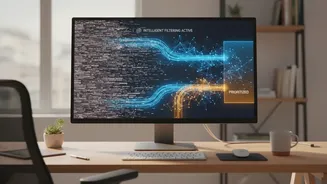
For years, email providers have used filters to catch obvious spam and malicious threats. While these are crucial for security, they do little to solve the problem of overload. The majority of emails clogging our inboxes aren't dangerous; they're just not important right now. This includes newsletters, promotional offers, low-priority CCs, and automated system notifications. This is where smart email filtering AI comes in. Unlike basic spam filters that just identify threats, AI-powered systems use machine learning and natural language processing (NLP) to understand the content, context, and intent of every single message. They learn your priorities based on your behavior, distinguishing between an urgent request from your manager and a 20% off coupon. This intelligence allows the software to go beyond a simple 'spam' or 'not spam' decision and start actively managing your inbox for you.
How AI Reclaims Your Focus and Time
The primary benefit of a smart email filter is its ability to triage your inbox automatically. These tools act like a personal assistant, sorting messages into clear categories. For example, important, person-to-person emails land in a priority inbox, while newsletters are bundled into a digest, and promotional mail is moved to a separate folder to be reviewed later. This immediately declutters your primary view, ensuring that you only see what requires your immediate attention. Some advanced tools can even summarize long email threads, draft replies based on the content, and identify action items or questions embedded in a message. By handling the 60-80% of emails that don't need a direct, immediate response, these systems can save professionals between five and 10 hours per week. This is time that can be reinvested into focused, high-value work instead of being lost to inbox maintenance.
Key Features of a Smart Email System
When exploring AI email software, several key features provide the most significant impact. The first is a priority inbox, which separates critical emails from everything else. Next is smart categorization or labeling, which automatically sorts newsletters, receipts, and notifications without you needing to create manual rules. Another powerful feature is an email screener, which holds emails from new senders for your approval, preventing your inbox from being filled by unsolicited messages. Look for tools that also offer automated summaries for long conversations and one-click unsubscribing for mailing lists. Some platforms integrate workflow automation, allowing teams to assign emails to specific people, set deadlines, and track conversations in a shared inbox, which is invaluable for customer service and sales teams. Ultimately, the goal is to find a system that automates the sorting and organization you're currently doing manually.