







Invest in a Waterproof Shield
The first line of defense is physical protection. Don't rely on a standard backpack. Invest in a dedicated waterproof or water-resistant laptop bag and a waterproof phone pouch. Many phone pouches are now designed to be fully submersible while still allowing
you to use the touchscreen and even take photos. For laptops, look for bags with padded compartments and secure closures. Even a simple zip-lock bag can serve as a decent emergency barrier for your phone against light rain.
Fight the Invisible Enemy: Humidity
Water damage isn't just about direct splashes; ambient humidity is a silent threat. High moisture in the air can cause condensation inside your devices, leading to corrosion and short circuits over time. The best way to combat this is by using silica gel packets. These small desiccants absorb moisture from their surroundings. Toss a few into your laptop bag and any pouch where you store electronics to create a dry microenvironment. This is a cheap and passive way to protect your gear, especially when storing it.
Beware of Sudden Temperature Changes
Moving from a cold, air-conditioned car or room into the hot, humid outdoors can cause condensation to form inside your laptop or phone. Think of how a cold glass 'sweats' on a hot day; the same can happen to your electronics. To prevent this, allow your devices to acclimatize. Give your laptop or phone 10-15 minutes to adjust to the room temperature before powering it on after a significant temperature shift. An insulated sleeve can also help moderate this change.
Guard Against Power Surges
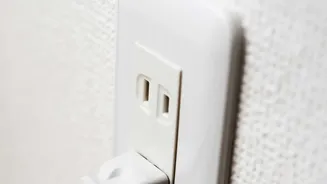
Monsoons are often accompanied by thunderstorms and unstable power grids, which can cause sudden voltage spikes, or power surges. Plugging a device directly into the wall during such weather is risky. A power surge can fry your device's internal circuitry instantly. Always use a good-quality surge protector for charging your laptop and other gadgets. A surge protector diverts the excess voltage away from your electronics. For even better protection, especially in areas with frequent outages, consider an Uninterruptible Power Supply (UPS), which provides battery backup and protection against both surges and brownouts. It's also wise to unplug devices when they are not in use during a storm.
Emergency Plan: What to Do If Your Device Gets Wet
If the worst happens, acting quickly is crucial. First, immediately power off the device. Do not try to turn it on or plug it in to check if it works; this can cause a fatal short circuit. Second, remove any cases, accessories, SIM cards, and the battery if it's removable. Gently pat the exterior dry with a soft, lint-free cloth, avoiding any rubbing motion that could push water further inside. Do not use a hairdryer, as the heat can damage components. The popular 'bag of rice' trick is also not recommended, as dust and starch can get into ports. Instead, place the device in an airtight container with several silica gel packets for 24 to 48 hours to draw out the moisture. Patience is key; wait at least a full day before attempting to turn it on.
Backup Your Data Before You Go
No protection method is foolproof. The ultimate safety net is having your important data backed up. Before you travel, ensure all critical files from your phone and laptop are saved to a cloud service or an external hard drive that you keep in a separate, safe location. This way, even if your device suffers irreparable damage, your precious photos, documents, and contacts are not lost forever. Make it a habit to regularly back up your data, especially before any trip during the monsoon season.