







From Chatbot to Work Partner
Since its introduction, Microsoft Copilot has largely functioned as a conversational assistant. You could ask it to summarize a document in Word, draft an email in Outlook, or create a list in Teams. While useful, these interactions were mostly confined
to the specific application you were using. The AI had little to no memory of what you were doing in another program moments before. That limitation is now dissolving. Microsoft is fundamentally shifting Copilot's role from a series of siloed helpers into a single, cohesive intelligence layer that understands the context of your work across the entire Microsoft 365 ecosystem. This evolution is less about adding new chat features and more about building what the company calls "work awareness," an ability for Copilot to track projects and context as you move between applications. The goal is to create a seamless experience where the AI anticipates your needs based on your recent activity, transforming it from a tool you command into a partner that collaborates.
What is 'Work Awareness'?
So, what does "cross-tool work awareness" actually mean in practice? It's the ability for Copilot to maintain a persistent understanding of your tasks, projects, and data, regardless of which app you're in. This is powered by a sophisticated intelligence layer that Microsoft calls Work IQ, which connects information from your emails, calendar, chats, documents, and meetings. For example, after discussing a sales report in a Teams meeting, you can switch to PowerPoint and ask Copilot to create a presentation summarizing the key findings from that call. Copilot understands the context, finds the relevant data, and can even reference files discussed in the chat without you needing to explicitly link them. This connective tissue means you spend less time searching for information and re-explaining context to the AI, and more time acting on the insights it provides. It effectively gives Copilot a short-term memory of your workflow, allowing it to offer more relevant and proactive assistance.
The Rise of AI Agents
This enhanced awareness is the foundation for Microsoft's next big push: AI agents. If a chatbot answers questions, an agent completes tasks. A new feature, called Copilot Cowork, embodies this shift. Now generally available, Cowork allows users to delegate complex, multi-step projects to the AI. You can ask it to do something like, "Prepare for my upcoming client review meeting." Cowork can then access your calendar, find the relevant meeting, pull up past emails and files related to that client, analyze recent sales data from Excel, and generate a briefing document in Word, a presentation in PowerPoint, and a draft follow-up email in Outlook. It essentially plans and executes the work, checking in for approval at key stages. This moves Copilot from an assistant that helps you do the work to an agent that does the work for you, freeing up users to focus on strategy and decision-making.
A More Connected Ecosystem
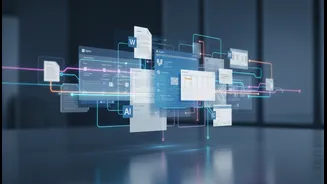
The latest updates are filled with examples of this cross-app integration. Copilot Notebooks can now export content directly into Word, Excel, or PowerPoint, turning research and notes into structured documents with a single click. In Outlook, the AI's reasoning ability has been expanded from a single email thread to the user's entire inbox, calendar, and other enterprise data. This allows it to summarize your day, flag important tasks, and manage your schedule with a much deeper level of understanding. Even long-running tasks are now tracked directly on the Windows taskbar, giving you visibility into what your AI agent is working on without having to switch back to the main app. This cohesive design is intentional, aiming to make the experience of using AI consistent and intuitive, no matter where you are in the Microsoft ecosystem.
The Future of Productivity
Microsoft's vision is clear: to create an AI-native workplace where the technology is not just an add-on, but a fundamental part of the workflow. By embedding a context-aware Copilot across its entire suite, the company is attempting to break down the barriers between individual applications. The future of work, in this view, is less about mastering dozens of different tools and more about directing a single, intelligent system to achieve your goals. This shift represents one of the most significant changes to productivity software in a generation. It moves the user's role from a manual operator to a strategic director, where human judgment is applied to the outputs and decisions guided by AI, rather than to the tedious tasks of information gathering and content creation. It’s a future where your digital assistant truly understands what you’re working on and can help you get it done more efficiently than ever before.