





Memorise This Golden Rule: PIN Is Only for Paying
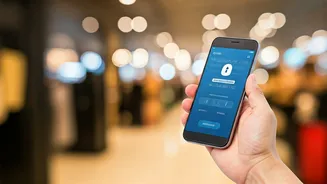
This is the most critical habit to build: you only need to enter your UPI PIN when you are sending money from your account. You never, ever need to enter your PIN to receive money. [5, 9, 11] Scammers often exploit this confusion. They will send you a payment
request and tell you to approve it and enter your PIN to receive a refund, prize money, or payment for an item you are selling. [3, 8] The moment you enter your PIN, you are authorising a payment *from* your account, not to it. [9] Make it a reflex: if someone asks for your PIN to send you money, it is a scam. [3]
Scrutinise QR Codes Before Scanning
QR codes are convenient, but they can be a gateway for fraud. Scammers can paste their own malicious QR code stickers over a genuine merchant's code at shops, petrol pumps, or parking meters. [15] Scanning a fraudulent QR code might lead you to a phishing website designed to steal your data or, more directly, initiate a payment to the scammer's account. [4, 7, 10] A core rule to remember is that you scan a QR code to make a payment, not to receive one. [7, 19] If someone who is supposed to pay you sends a QR code and asks you to scan it, decline. To receive money, you only need to share your UPI ID or your own QR code. [9]
Treat 'Collect Requests' with Extreme Caution
The 'Request Money' or 'Collect Request' feature is frequently misused by fraudsters. [2] They will send you a request, often with an urgent message, hoping you'll approve it without thinking. [8] These requests can be disguised to look like payment notifications for refunds or cashback. [3, 17] Before you approve any request, read the on-screen notification carefully. Your UPI app will clearly state if it's a 'Payment Request' and that approving it will debit money from your account. If you don't recognise the sender or aren't expecting to pay them, decline the request immediately. [8]
Verify the Recipient's Name Every Time
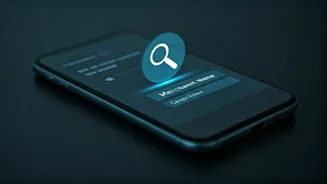
Before you enter your UPI PIN to complete a transaction, your app will display the legal name of the account holder you are about to pay. [21] Make it a non-negotiable habit to pause and check this name. [5, 19] This simple check can prevent you from sending money to the wrong person due to a typo in the UPI ID or phone number. It is also a crucial defence against scams where a fraudster is impersonating someone else. If the name displayed does not match who you expect to pay, cancel the transaction. [11]
Never Install Screen-Sharing Apps for 'Support'
A common scam involves a fraudster posing as a bank employee or customer service agent from a well-known company. [13] They will claim there's an issue with your account and, to 'help' you, will ask you to download a screen-sharing or remote access app. [11, 13] Once you grant them access, they can see everything on your phone, including you entering your PIN or OTPs, and can operate your banking apps to transfer money out of your account. [13] Legitimate customer support will never ask you to install such applications. [11]
Use Secure Networks and Official Apps Only
Always download UPI-enabled apps from official sources like the Google Play Store or Apple App Store to avoid fake, malicious applications designed to steal your financial data. [6, 20] Furthermore, be wary of making transactions over public or unsecured Wi-Fi networks, as these can be vulnerable to hackers. [2, 11] It is safer to use your personal mobile data for financial transactions. Regularly update your UPI apps, as updates often include critical security enhancements that protect you against new and emerging fraud tactics. [2]
Set Transaction Limits and Review History
Most UPI apps and banks allow you to set a daily transaction limit, which can help minimise potential losses if your account is ever compromised. [6, 11] It is also a good habit to regularly review your UPI transaction history through your app or bank statements. [5] This allows you to quickly spot any unauthorised transactions. If you notice any suspicious activity, report it immediately to your bank and the National Cyber Crime Reporting Portal by calling the helpline number 1930. [6, 9]