







Start with Your Chair: The Foundation of Comfort
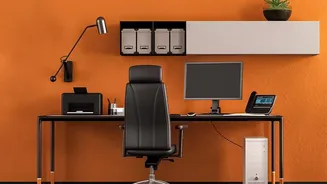
Your office chair is more than just a place to sit; it's the foundation of a pain-free workday. If it’s not set correctly, everything else will be off. Start by adjusting the height. When seated, your feet should be flat on the floor with your thighs
roughly parallel to the ground. Your knees should be at about a 90-degree angle, and your hips should be level with or slightly higher than your knees. If your feet are dangling, use a footrest to provide a stable base. Next, adjust the seat depth. You should be able to sit all the way back, so your lower back makes full contact with the chair's lumbar support, with about a two- to three-finger gap between the back of your knees and the edge of the seat. This prevents the seat from cutting off circulation in your legs.
Align Your Monitor to Eye Level
Constantly looking down at a screen is a primary cause of neck and shoulder strain, sometimes called “tech neck.” The goal is to position your monitor so your head and neck can remain in a neutral, relaxed position. Adjust your monitor so the top of the screen is at or just slightly below your eye level when you're sitting upright. Your eyes should naturally gaze toward the top third of the screen. The screen should also be about an arm's length away from you. If you find yourself squinting or leaning forward to read, the monitor is too far. If you wear bifocals, you may need to lower the monitor an additional few inches and tilt it back slightly to find a comfortable viewing angle without tilting your head back.
Position Your Keyboard and Mouse
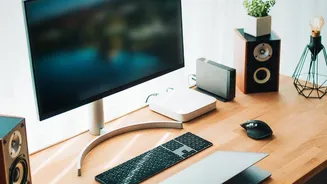
Once your chair and monitor are set, it's time to bring your keyboard and mouse into alignment. Your desk should allow your arms to rest comfortably, with your elbows bent at an open angle of around 90 to 110 degrees. Your wrists should be in a neutral, straight position, not bent up, down, or to the sides. If you use the little feet to prop up your keyboard, consider laying them flat, as this often encourages an upward bend in the wrist that can cause strain over time. The mouse should be placed close to your keyboard so you don't have to over-reach, which can strain your shoulder. When moving the mouse, try to pivot from your elbow rather than just flicking your wrist.
The Most Important Tweak: Keep Moving
Even the most perfect ergonomic setup can't protect you from the negative effects of sitting completely still for hours on end. Prolonged static posture reduces blood circulation and puts sustained pressure on your muscles and spine. The final, and arguably most crucial, piece of the ergonomic puzzle is incorporating regular movement. Set a reminder to get up and take a short one- to two-minute break at least once every hour. Walk around, do some gentle stretches, roll your shoulders, or simply stand up. These micro-breaks reset your posture, improve blood flow, and give your muscles a much-needed break, reducing fatigue and boosting focus.