






The Pain of the Endless Presentation
We’ve all been there. You’re an hour into a 90-minute presentation. Slides filled with dense text flash by, your focus starts to drift, and by the end, the key takeaways and action items are buried under an avalanche of information. This isn't just boring;
it's a massive productivity drain. In the Indian corporate world, where agility is key, hours spent trying to decipher notes and recall who was assigned what task is time that could be spent on execution. This phenomenon, often called 'death by PowerPoint,' leads to misaligned teams, missed deadlines, and a general sense of meeting fatigue. The core problem is that information delivery is mistaken for effective communication.
The Rise of AI Meeting Assistants
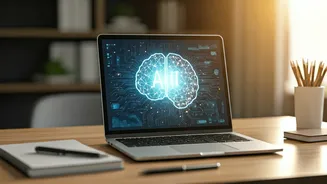
The solution isn't to ban presentations, but to work smarter. This is where Artificial Intelligence enters the picture. A new generation of AI-powered tools is designed specifically to solve this problem. Think of them as a hyper-efficient personal assistant who attends every meeting, listens intently, and then provides you with a perfect summary. These tools use natural language processing (NLP) to transcribe spoken words in real-time, identify different speakers, and then use generative AI to summarise the entire conversation. The promise of turning a sprawling, one-hour discussion into a focused, two-minute brief is no longer a futuristic dream; it's a daily reality for thousands of teams.
Choosing Your Automation Tool
The market for these tools is exploding, but they generally fall into a few categories. First, you have live meeting assistants like Fireflies.ai, Otter.ai, or Microsoft Teams' own Copilot. These tools can join your virtual meetings (on platforms like Zoom, Google Meet, and Teams) and transcribe them live. Second, there are post-meeting analysis tools. If you have a video or audio recording of a presentation, you can upload it to services that will transcribe and summarise it for you. Even general-purpose AI models like ChatGPT or Claude can be effective if you paste a clean transcript into them and provide a specific prompt, such as: "Summarise this transcript, listing all decisions made and action items with assigned names."
A Simple 3-Step Process
Implementing this isn't complicated. Here’s a basic workflow to get you started: 1. **Record and Transcribe:** The foundation of any automated brief is a clean recording. Whether you're in a physical conference room or a virtual meeting, ensure you have a clear audio source. Use your chosen AI tool to either transcribe it live or process the recording afterward. The tool will generate a full, time-stamped transcript. 2. **Automate the Summary:** This is where the magic happens. Most dedicated meeting assistants will automatically generate a summary. This usually includes a short overview, key topics discussed, and an initial pass at action items. You can often customise the length and format of this summary within the tool's settings. 3. **Refine and Distribute:** AI is powerful, but not yet perfect. Take five minutes to review the automated summary. Tidy up the language, clarify any ambiguous points, and ensure the action items are correctly assigned. This human-in-the-loop step turns a good summary into a great one. Once polished, this 'crisp action brief' can be instantly shared via email or your company's communication platform like Slack or Teams.
Crafting the Perfect Action Brief
An effective action brief isn't just a summary; it’s a tool for driving progress. Your goal is a document that someone can read in under three minutes and understand exactly what they need to do. A best-in-class brief should contain three sections: * **Key Decisions:** A bulleted list of all major decisions made during the presentation or meeting. * **Action Items:** A clear table with three columns: the specific task, the name of the person responsible (the 'owner'), and the agreed-upon deadline. * **Open Questions:** A brief list of any critical questions that remained unresolved, ensuring they are addressed later.