





First, A Quick Refresher
Before we dive into the video magic, let's remember what NotebookLM is. At its core, it’s a personalized AI research assistant from Google. Unlike general-purpose chatbots that search the whole internet, NotebookLM becomes an expert exclusively on the materials
you provide. You can upload PDFs, Google Docs, web links, and even audio files, and then ask questions, get summaries, or generate ideas based only on that content. This “source-grounded” approach makes its answers more reliable and specific to your project, effectively reducing the chances of the AI inventing facts.
The New Contender: Video Overviews
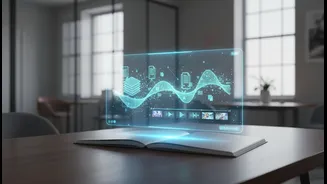
The big news is that NotebookLM can now turn your notes and documents into videos. This isn’t a simple case of putting text on a slide. The platform now offers several video formats. The first is a standard "Video Overview," which functions like a narrated slideshow with visuals to help explain complex topics. More recently, Google rolled out two more advanced options. In early July 2026, it introduced "Short Video Overviews," which automatically create 60-second vertical videos perfect for quick summaries or social sharing. These shorts come complete with AI narration, a script, and simple motion graphics.
The Main Event: Cinematic Explainer Videos
The most powerful version of this feature is the "Cinematic Video Overview," introduced in March 2026. This isn't just a slideshow; it's a fully animated and narrated explainer video. It uses a combination of Google's most advanced AI models to work. First, the Gemini model acts as a creative director, reading your sources to understand the key concepts and write a script. Then, other models generate original animations and dynamic visuals to bring the story to life. The result is a short, documentary-style video that can make complex research papers or dense reports feel accessible and engaging.
How It Actually Works
Generating a video is handled through the "Studio" panel inside your notebook. After uploading your source materials—be it research papers, meeting notes, or book chapters—you select the video option. You can choose between a short, an explainer, or a cinematic format. You can also give the AI a specific angle or topic to focus on, like "the most surprising finding in this research," to guide the video's narrative. The system then analyzes your documents, generates a script and visuals, and produces a downloadable MP4 file in minutes.
From Research Tool to Content Engine
This evolution is significant. NotebookLM began as a tool for personal understanding—a way to go deep on a topic for your own benefit. Features like Audio Overviews, which create a podcast-style discussion about your sources, were the first step toward making that knowledge shareable. But by adding sophisticated video creation, Google is repositioning NotebookLM as a content production system. It empowers students, researchers, and professionals not just to understand their material, but to communicate it effectively. A student can turn lecture notes into a study video, a scientist can summarize a dense paper for a broader audience, and a marketing team can convert a long report into a quick, shareable clip for stakeholders.
What This Means for You
The ability to automatically generate video from text-based sources marks a major leap in AI-powered productivity. While the most advanced cinematic features are currently available to paid subscribers of Google's AI plans, the introduction of video capabilities across the platform signals a clear direction. It’s a move from passive information consumption to active, AI-assisted content creation. The tool is no longer just for helping you think; it’s for helping you explain, demonstrate, and share what you’ve learned. By grounding all outputs in user-provided sources, it also promises a way to create engaging content that remains factually based and verifiable.