



The End of an Era: What is an eVisa?
The UK's immigration system has gone digital-first, replacing physical documents like Biometric Residence Permits (BRPs), Biometric Residence Cards (BRCs), and visa stickers (vignettes) in passports. Your immigration permission is now held as a secure
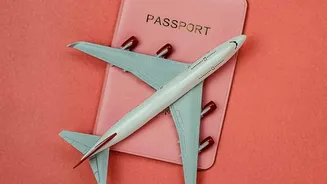
online record called an eVisa. This digital status is linked directly to your passport. The change, which was fully implemented by mid-2026, is designed to create a more secure and streamlined process that prevents documents from being lost, stolen, or tampered with. For Indian nationals, who represent one of the largest groups of visitors to the UK, understanding this new system is crucial for a smooth journey.
Your UKVI Account: The Key to Your Status
Central to the new system is the UK Visas and Immigration (UKVI) online account. When your visa is granted, you will need to create a UKVI account to access and manage your eVisa. There is no fee to access your eVisa through this account. This online portal is where you can view all the details and conditions of your permission to be in the UK, such as your visa type, expiry date, and your rights to work or study. It is vital that all your personal information, especially your current passport details, are kept up-to-date in your UKVI account. Failure to do so could result in significant delays or even being refused boarding by your airline.
How to View and Share Your Immigration Status
The days of presenting a physical BRP card to prove your rights are over. Now, you must use the 'view and prove' service within your UKVI account to generate a 'share code'. This is a unique nine-character code that allows third parties, such as employers or landlords, to verify your status online. You will need to generate a specific code depending on the reason, for instance, a 'right to work' code for an employer or a 'right to rent' code for a landlord. These codes are valid for 90 days and can be used multiple times within that period. When travelling, airlines will verify your permission to travel digitally before you board, making it essential that the passport you are using is the one linked to your eVisa.
A Checklist for Indian Travellers
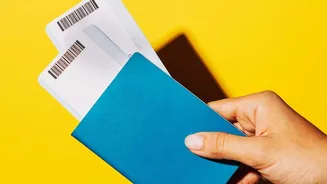
Navigating the new system is straightforward if you are prepared. First, after your visa is granted, create your UKVI account immediately. Before any travel, log in to your account to ensure all details, especially your passport number, are correct and match the document you are travelling with. If you renew your Indian passport, you must update the details in your UKVI account as soon as possible. Always travel with the passport that is linked to your eVisa. It is also a good idea to have your UKVI account login details handy, although you should not need to show your eVisa itself at the border. The check is done automatically when your passport is scanned.
What If You Have an Old Visa or Permit?
If you hold an older form of permission, such as an ink stamp in a previous passport showing Indefinite Leave to Remain (ILR), the UK government strongly encourages you to apply to have this converted to an eVisa. This process, known as a 'No Time Limit' (NTL) application, is free and will ensure your status is correctly recorded in the new digital system. All BRP cards are now expired and are no longer valid for proving your status or for travel. You must create a UKVI account to access your digital status instead.