



The End of Post-Meeting Paralysis
Meetings generate commitments and decisions, but momentum is often lost in the gap between discussion and action. This is the post-meeting follow-up problem: manually transcribing notes, identifying key takeaways, and assigning action items is tedious
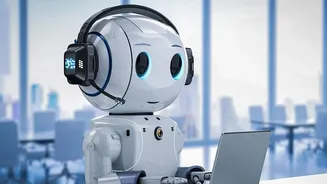
and time-consuming. The follow-up either gets sent late, arrives incomplete, or doesn't get sent at all, causing alignment to break down. AI tools are designed to close this gap, transforming what was once a manual chore into an automated, efficient process that helps maintain clarity and accountability. By automating repetitive tasks, AI can save employees a significant amount of time and effort.
How AI Email Drafting Works
AI meeting assistants typically integrate with popular video conferencing platforms like Zoom, Google Meet, and Microsoft Teams. These tools record and transcribe the meeting in real-time or from a recording. Using natural language processing, the AI then analyzes the transcript to identify key points, decisions made, and specific action items, often recognizing phrases like 'I will send that over'. From this analysis, the AI generates a structured summary and drafts a follow-up email. Some tools even allow you to provide specific prompts, such as asking it to 'draft a professional follow-up email to the client, outlining the three main decisions made'.
Choosing the Right AI Tool
The market for AI meeting assistants is growing, with several key players offering robust solutions. Tools like Otter.ai and Fireflies.ai are well-known for their transcription and summary capabilities, including features that automatically create follow-up email drafts. Other platforms, such as Fellow and Tactiq, are built into the meeting workflow to generate summaries and emails almost instantly. For professionals deeply embedded in major software ecosystems, native solutions like Microsoft Copilot and Google's Gemini offer seamless integration directly within Outlook and Gmail. The best choice depends on your specific workflow, the platforms you use, and your desired level of automation.
Best Practices for Effective AI Drafts
To get the most out of an AI-generated draft, it helps to provide quality input. During the meeting, ensure speakers are clear and avoid talking over one another to improve transcript accuracy. When the draft is generated, a good follow-up email should include a clear summary of decisions, a list of action items with owners and deadlines, and any unresolved questions. It's also wise to start with a clear subject line that includes the meeting topic and date for easy reference later. Many tools allow you to customize prompts or use templates, which can help standardize the tone and format to match your professional style across all communications.
The Crucial Human Review
While AI provides an incredible first draft, it is not infallible. It's essential to treat the AI-generated email as a starting point, not the final product. Always review the draft for accuracy, tone, and context before sending. AI can sometimes miss nuance, sarcasm, or misinterpret a statement, leading to potential misunderstandings. Furthermore, using these tools comes with data privacy considerations. It's crucial to inform attendees that an AI assistant is being used for transcription and to understand how the vendor handles your data. Many jurisdictions require consent from all parties before a conversation can be recorded, so transparency is key.