

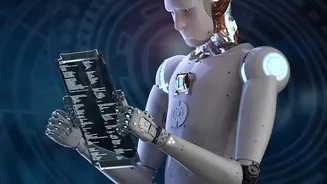


The Traditional Mood Board Bottleneck
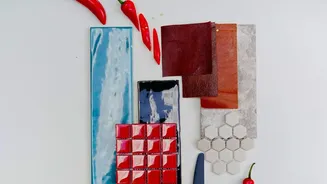
Before any design work begins, there is the mood board. It’s the crucial foundation for aligning with a client on a project's visual language, covering everything from colour palettes and typography to textures and overall aesthetic. Traditionally, creating
one is a manual, often tedious, process. Freelancers spend hours, sometimes days, scouring platforms like Pinterest, sifting through stock photo libraries, and saving images to their desktops. This is followed by the painstaking task of cropping, arranging, and collating these assets into a cohesive presentation, all while hoping the final collage accurately captures the intended vision. This workflow, while creatively necessary, is a significant time sink, pulling valuable hours away from actual design execution and client management.
Introducing the AI Co-Pilot
Generative AI tools are changing this dynamic by acting as a powerful creative co-pilot. Unlike manual searching, these platforms can generate or source a collection of visuals based on a simple text prompt. A designer can input a description like, “A mood board for a sustainable skincare brand with an earthy, minimalist, and serene aesthetic,” and receive a curated set of images, colour palettes, and textural ideas in minutes. Tools like Adobe Firefly, Midjourney, and Canva's Magic Studio are designed to understand conceptual language and translate it into visual assets. This automated approach doesn't just find existing images; it can generate entirely new ones, providing a unique starting point that goes beyond what a simple web search could offer.
A Streamlined Workflow in Action
The new AI-powered workflow transforms mood boarding from a multi-hour chore into a rapid ideation session. It begins with crafting a detailed prompt that outlines the project's core themes, style, and desired emotions. Within moments, the AI generates a draft board. From there, the designer’s role shifts from hunter-gatherer to curator and editor. They can refine the board by asking the AI for variations, swapping out specific images, or adjusting the generated color scheme. This iterative process allows for exploring multiple visual directions in the time it used to take to create a single manual board. The speed of this workflow means designers can present clients with several distinct concepts early on, facilitating quicker buy-in and reducing the number of revision cycles down the line.
Beyond Speed: The Real Creative Advantage
While the efficiency gains are obvious, the true advantage of using AI in mood boarding is the expansion of creative potential. By automating the repetitive tasks of searching and arranging, these tools free up a designer's mental energy to focus on higher-level strategic thinking. Instead of getting bogged down in execution, freelancers can explore more unconventional ideas and push creative boundaries. AI can generate unexpected visual combinations, helping to break through creative blocks and introduce fresh perspectives. This allows designers to spend more time on what clients truly value: their unique taste, strategic insight, and the ability to tell a compelling brand story through curated visuals.
The Designer's Touch Remains Irreplaceable
It’s crucial to understand that these AI tools are assistants, not replacements for professional designers. AI can generate options, but it lacks the human intuition, taste, and contextual understanding needed to make strategic design decisions. The final mood board still relies on the designer's expertise to select the most appropriate visuals, ensure the narrative is coherent, and align the concept with the client's business goals. The artistry lies in the curation and refinement of the AI's output. The technology provides the raw material at an unprecedented scale and speed, but the designer provides the vision and soul that turns a collection of images into a powerful communication tool.