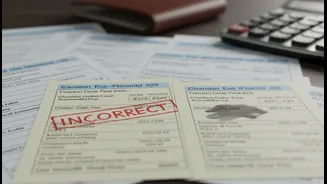









Why It's So Confusing
Let's be honest: the tax system wasn't designed with beginners in mind. It's filled with jargon, acronyms, and a seemingly endless list of forms and rules. The first hurdle is often the language itself. You'll hear about the 'Financial Year' (FY), which
runs from April 1 to March 31, and the 'Assessment Year' (AY), which is the following year when you file your return. For income earned between April 2025 and March 2026 (FY 2025-26), you will file your return in AY 2026-27. Understanding this distinction is the first step in demystifying the process. The system assumes a level of financial literacy that most people simply don't have when they receive their first paycheck, creating a cycle of anxiety and procrastination.
Your Document Toolkit
Before you even think about logging into the tax portal, the key is to get organized. Think of it as assembling your financial toolkit for the year. The most important documents you'll need are your PAN card and Aadhaar card; ensure they are linked, as this is mandatory for filing. Next, gather your bank account statements to account for any interest income. The star document for any salaried person is Form 16, which is a certificate from your employer detailing your salary and the tax deducted at source (TDS). You should also download your Form 26AS and Annual Information Statement (AIS) from the income tax portal. These documents provide a consolidated view of all taxes paid on your behalf by your employer, bank, or anyone else.
Decoding Form 16 and Form 26AS
Form 16 is your salary's financial biography for the year, issued by your employer. It has two parts: Part A shows the tax your employer has deducted and deposited with the government, while Part B provides a detailed breakup of your salary, allowances, and any deductions you claimed. Form 26AS, on the other hand, is the government's record of all tax credits linked to your PAN. It’s crucial to match the TDS figures in your Form 16 with those in your Form 26AS. If there's a mismatch, it means the tax your employer says they deducted hasn't been fully credited to you yet, and you need to get them to rectify it.
Choosing the Right ITR Form
The Income Tax Department has several different ITR forms, and picking the wrong one is a common mistake that will get your return rejected. Thankfully, for most first-time filers with a salary, the choice is simple. If you are a resident individual with a total income of up to ₹50 lakh from salary, one house property, and other sources like savings account interest, you will use ITR-1, also known as 'Sahaj'. As the name suggests, it is the simplest form, designed for straightforward income scenarios. If you have income from capital gains or from more than one house property, you'll need to use a different form like ITR-2.
A Step-by-Step E-Filing Guide
The entire process happens online on the official income tax e-filing portal. First, you need to register yourself as a new user. This involves providing your PAN, name, contact details, and setting a password. Once registered, log in and navigate to 'e-File' > 'Income Tax Returns' > 'File Income Tax Return'. Select the current Assessment Year, choose the 'Online' mode of filing, and select ITR-1. The portal will pre-fill a lot of your information from your Form 16 and AIS. Your job is to verify this data, add any other income (like savings bank interest), claim deductions, and confirm the final tax calculation before submitting.
Don't Forget to E-Verify
Simply submitting your return isn't the final step. You must verify it, and failing to do so makes your return invalid. The government gives you 30 days from submission to complete this step. The easiest way to do this is through 'e-Verification'. You can use an Aadhaar OTP, which is sent to the mobile number linked with your Aadhaar. Other options include using your pre-validated bank account or net banking login. This digital signature confirms that the information submitted is true and correct, officially completing your filing process. Without verification, it’s as if you never filed at all.