





Understanding Text-to-Video AI
Text-to-video AI is a technology that uses artificial intelligence to create video footage from written descriptions. Instead of filming, setting up lighting, or manually creating animations, you simply type a prompt describing the scene, characters,
and actions you want. The AI interprets this text and generates a video clip to match. This process collapses the time between having an idea and seeing a finished asset, revolutionizing the production pipeline. Tools like Runway, Pika Labs, and InVideo AI are at the forefront of this technology, turning simple prompts into everything from cinematic B-roll to complete, narrated social media clips.
Step 1: Your Prompt is the New Director
The most crucial part of this new workflow is the prompt. A well-written prompt acts as your script, storyboard, and director's notes all in one. Start by clearly describing the subject and the action. Then, add details about the environment, lighting, and camera movement. For example, instead of “a car driving,” a more effective prompt would be: “A vintage red convertible driving along a winding coastal highway at sunset, drone shot following from behind.” The more specific your language, the closer the AI's output will be to your vision. Many platforms allow for natural language, so you can write in full sentences to provide better context.
Step 2: Generating and Assembling Your Clips
Once your prompt is ready, you feed it into an AI video generator. The AI will process the request and produce a short video clip, typically a few seconds long. The key to building a longer video is to generate multiple clips for each scene or idea in your script. Many creators use a storyboard-first approach, where they generate a series of clips that follow a narrative sequence. This method gives you more control and helps ensure character and style consistency across shots. Platforms like InVideo AI and HeyGen can even take a full script and automatically break it down into scenes, generating visuals for each part.
Step 3: Refining and Editing with AI
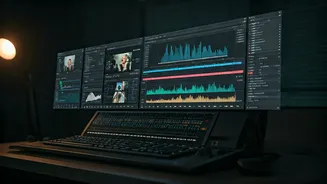
The initial AI-generated clips are your raw material. The next step is editing, and AI helps here, too. Most generator platforms have built-in editors that let you trim clips, add text overlays, select background music, and generate AI voiceovers in multiple languages. More advanced tools like Runway's Gen-4.5 allow you to make changes to generated videos using text commands, like “change the lighting to be more dramatic” or “replace the horse with a fire horse.” This iterative process of generating and refining with text commands is where the massive time savings happen, eliminating the tedious manual adjustments of traditional editing software.
The 80% Faster Workflow Explained
So, where does the “80% faster” claim come from? The efficiency gains are found across the entire production process. Pre-production is compressed from weeks of planning, storyboarding, and budgeting into minutes of prompt writing. The production phase of filming is eliminated entirely for generated content. Post-production is drastically accelerated by automating tasks like scene selection, B-roll sourcing, and initial editing. A process that once required a team and days of work—scripting, filming, editing, and voiceover—can now be accomplished by a single person in under an hour for short-form content.