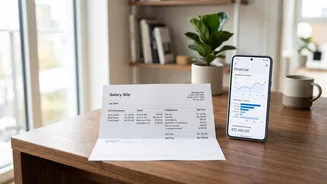






Seeing a deduction for the Employees' Provident Fund (EPF) on your salary slip is standard, but it isn't a guarantee the money has reached your account. Thankfully, verifying this is now a simple online process for every salaried individual.
Why You Must Verify Your EPF
Your EPF is
a cornerstone of your retirement savings. A deduction on a payslip only shows that money was withheld; it doesn't confirm it was deposited with the Employees' Provident Fund Organisation (EPFO). Regularly matching your salary slip with your EPF account helps you track contributions, verify that your employer is making timely deposits, and spot any discrepancies early. Missing contributions can significantly impact your retirement corpus due to the loss of accumulated principal and compound interest. This simple check empowers you to ensure your long-term financial security is on track.
Understanding the Numbers
Before you compare, know what to look for. Your salary slip will show a deduction for 'EPF' or 'Provident Fund'. This is your contribution, typically 12% of your basic salary plus dearness allowance. Your employer contributes a matching 12%. However, this amount is split: 8.33% goes to the Employees' Pension Scheme (EPS) (capped at ₹1,250 per month for most employees), and the remaining 3.67% goes into your EPF account along with your full share. The employer's contribution doesn't appear on your salary slip as a deduction because it's part of your Cost to Company (CTC), not your take-home pay.
Accessing Your EPF Passbook Online
Your Universal Account Number (UAN) is the key. First-time users must activate their UAN on the EPFO Member Portal. You'll need your UAN (usually found on your salary slip), mobile number, and details like your Aadhaar number to complete a one-time registration and receive a password. Once activated, follow these steps: 1. Visit the EPFO Member e-Sewa portal. 2. Log in using your UAN, password, and the provided captcha. 3. Navigate to the 'Services' menu and click 'Member Passbook'. You will be redirected to the passbook portal where you may need to log in again. 4. After logging in, you can select your Member ID (if you have multiple) to view the passbook. This digital passbook provides a month-by-month breakdown of contributions from both you and your employer, as well as any interest credited.
Matching Your Slip with the Statement
With your salary slip in one hand and the EPF passbook on your screen, you can perform the check. For each month, confirm that the 'Employee Contribution' shown in the passbook matches the EPF deduction on your payslip for that same month. Also, check for a corresponding 'Employer Contribution'. Remember, employers have until the 15th of the following month to deposit the contributions, and it may take a few more days for the entry to reflect in your passbook. So, a contribution for your November salary might only appear towards the end of December. If you see consistent entries, your account is in good health.
What to Do If There Is a Mismatch
If you notice that contributions are missing for several months despite deductions from your salary, don't panic. The first step is to contact your company's HR or payroll department. Politely ask for clarification and provide them with your records. It could be a simple processing delay. If the issue isn't resolved, you should escalate it by filing a formal complaint. The EPFO has an online grievance portal, the EPF i-Grievance Management System (EPFiGMS), where you can register your complaint using your UAN. Be prepared to upload copies of your salary slips and the EPF passbook as evidence. Failing to deposit deducted PF is a serious offence, and the EPFO is empowered to take action against defaulting employers to recover your money.