


The Psychology of the Urgent Message
Scammers thrive on panic. They know that a message invoking fear, curiosity, or a sense of urgency can bypass our rational thought processes. This is a social engineering tactic designed to make you act before you think. Phrases like "account will be suspended,"
"suspicious activity detected," or "I need your help now" are engineered to trigger an immediate emotional response. This manufactured crisis pressures you to click a malicious link, send money, or reveal personal data without stopping to question the source. Attackers exploit the trust you have in the platforms you use daily, from Instagram DMs to WhatsApp messages, making the fake request feel plausible in the moment. They aren’t hacking systems; they are hacking our attention and our instincts to help.
Why You Must Not Engage Directly
Your first instinct might be to reply directly to the message, call a number provided in the text, or click a link to resolve the issue. This is a mistake. Engaging with the message in any way keeps you within the environment the scammer controls. Replying confirms your number or account is active, making you a target for future attacks. Clicking a link can take you to a sophisticated fake login page designed to steal your credentials or download malware onto your device. Even calling a phone number listed in the message can connect you to the scammer, who is prepared to impersonate a bank representative or official to further the deception. Any information or tool provided within a suspicious message—links, attachments, phone numbers, or contacts—should be considered compromised and dangerous.
The 'Separate Secure Line' Explained
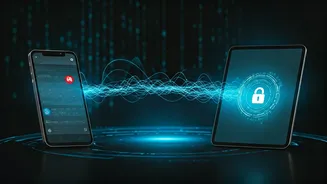
The phrase "separate secure line system" sounds highly technical, but the concept is simple and powerful. It means using a completely different and already trusted method of communication to verify a request. This is also known in the cybersecurity world as out-of-band verification. The core principle is channel separation. If a scammer has compromised one channel (like your social media account), they are very unlikely to have also compromised a separate one (like your phone line or a different messaging app). By switching to a channel the scammer doesn't control, you break their chain of deception and can confirm if the request is real. This simple step dramatically increases the difficulty for an attacker, who relies on controlling the conversation within a single, compromised channel.
Practical Steps for Safe Verification
Putting this principle into practice is straightforward. If you receive a suspicious message, do not use any information within it to reply. Instead, take the following steps:
If the message is from a friend or family member: Close the app and call them on the phone number you already have saved in your contacts. Do not call a number they may have provided in the message. You could also message them on a different platform where you regularly communicate to ask if they just sent a request.
If the message claims to be from your bank, a government agency, or a company: Do not click the link. Open a new browser window and manually type the official website address or find it using a search engine. Log in to your account there to check for any alerts. Alternatively, find the organization's official customer service number from their website and call that directly.
If you are unsure about any link: Before clicking, you can often hover your mouse over it on a computer to see the true destination URL. On a mobile device, a long press may show you a preview. If the link doesn't match the supposed sender, it's a major red flag.