



The Double Threat: Screens and Dry Air
The problem of workplace dry eye is twofold. First, there's the screen. When we focus intently on digital devices, our natural blink rate can drop by as much as 60%. Blinking is your eye's natural way of refreshing its surface with a protective layer
of tears. When you blink less, this tear film evaporates faster than it can be replenished, leading to dryness, irritation, and that all-too-familiar gritty feeling. The second part of the problem is the air in most modern workspaces. Air conditioning systems, essential for comfort in India's climate, are notoriously effective at removing moisture from the air. This creates a low-humidity environment that acts like a sponge, pulling moisture from any available source, including the surface of your eyes. This accelerated evaporation makes the effects of reduced blinking even worse.
How Humidity Comes to the Rescue
Your eye's tear film is a delicate, three-layer shield that lubricates the eye and keeps your vision clear. Dry air directly attacks this shield, causing it to break down. By increasing the humidity, you create an environment where the air is less 'thirsty'. This reduces the rate at which your tears evaporate, helping your eyes stay naturally lubricated for longer, even with prolonged screen use. Think of it like a plant in a dry room versus one in a humid room; the one in the humid environment will retain its moisture far better. Your eyes work on a similar principle. Maintaining proper humidity helps stabilize the tear film, reducing symptoms like burning, redness, and the foreign body sensation that plagues many office workers.
Finding the Optimal Humidity Level
You don't need to turn your office into a tropical rainforest to feel the benefits. Most eye care professionals and environmental health experts agree that an ideal indoor humidity level is between 40% and 60%. Below 30-40%, the air is dry enough to significantly increase tear evaporation and cause discomfort. You can monitor the humidity levels in your space with a simple, inexpensive device called a hygrometer. This will give you a clear idea of whether your workspace is contributing to your eye discomfort and help you maintain a healthier level.
Simple Ways to Increase Workspace Humidity
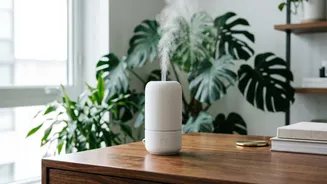
Boosting the moisture in your personal workspace doesn't have to be complicated. The most effective method is using a small, personal humidifier on your desk. These devices release a fine mist of water vapor into the air, directly combating the drying effects of air conditioning. Just be sure to clean it regularly according to the manufacturer's instructions to prevent the growth of mould or bacteria. If a dedicated device isn't an option, there are other simple hacks. Placing a bowl of water on your desk will allow it to evaporate slowly, adding some moisture to your immediate vicinity. Office plants also release moisture into the air through a process called transpiration. So, adding a bit of greenery can be both aesthetically pleasing and good for your eyes.
More Than Just Humidity: A Holistic Approach
While increasing humidity is a powerful tool, it's most effective as part of a broader strategy for eye wellness. Remember to follow the '20-20-20 rule': every 20 minutes, take a 20-second break and look at something 20 feet away. This simple practice relaxes your eye muscles and gives you a chance to blink consciously. Also, check your workstation ergonomics. Your screen should be positioned about an arm's length away and slightly below eye level, so you have a slight downward gaze. This posture helps your eyelids cover more of your eye's surface, slowing tear evaporation. Finally, stay hydrated by drinking plenty of water throughout the day to support your body's natural tear production.