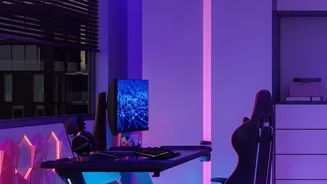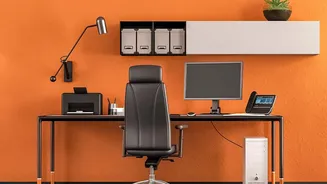





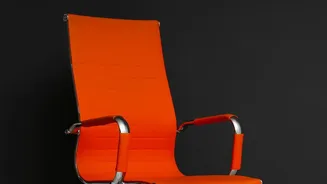

The Foundation: Your Chair
Your chair is the starting point for a pain-free workday. The primary goal is to maintain a neutral posture. Begin by adjusting the height so your feet rest flat on the floor with your knees bent at roughly a 90-degree angle, level with or slightly below
your hips. Your buttocks should be pressed against the back of the chair to utilize the built-in lumbar support. If your chair lacks adequate lower back support, a rolled-up towel or a small cushion can be an effective substitute to help maintain the natural curve of your spine and prevent slouching. Armrests should be positioned to let your shoulders relax and your elbows bend at about 90 degrees. This foundational setup supports your body's alignment and distributes weight evenly.
The Focal Point: Your Monitor
Hunching forward to see your screen is a primary cause of neck and shoulder strain. To fix this, position your computer monitor directly in front of you, about an arm's length away. The most crucial adjustment is its height: the top of the screen should be at or slightly below your eye level. This encourages you to keep your head in a neutral position, stacked directly over your shoulders, instead of craning your neck forward or looking down. If you work on a laptop, this position is nearly impossible to achieve on its own. The best solution is to use a separate keyboard and mouse, which allows you to raise your laptop on a stand or a stack of books to achieve proper screen height.
The Control Centre: Keyboard and Mouse
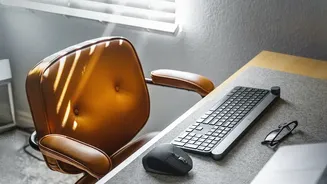
With your chair and monitor set, your keyboard and mouse placement is the final piece of the core setup. They should be positioned close enough to you that you can use them with your elbows comfortably near your body. Your desk height should allow your arms to rest at that 90-degree angle when typing. Wrists should remain as straight and neutral as possible, not bent up or down. If you find your wrists are making contact with the hard edge of a desk, a padded wrist rest can provide cushioning and reduce pressure. Keeping your keyboard and mouse at the same height and close together prevents overreaching and awkward shoulder movements.
Beyond the Setup: Movement is Key
Even the most perfect ergonomic setup can be defeated by one thing: staying static for too long. Prolonged, static posture is not good for your back. Experts recommend breaking up long periods of sitting by getting up to stand, stretch, and walk for a few minutes every half hour to an hour. These short breaks prevent stiffness and help keep your joints, muscles, and tendons loose. Alternating between sitting and standing, if you have a standing desk, can also alleviate lower back pain and improve circulation. The principle is simple: your next posture is your best posture. The goal is to avoid staying in any single position for too long.